Monitor deep learning model training and hardware usage from mobile.
[](https://badge.fury.io/py/labml)
[](https://pepy.tech/project/labml)
[](https://docs.labml.ai/)
[](https://twitter.com/labmlai?ref_src=twsrc%5Etfw)

### 🔥 Features
* Monitor running experiments from [mobile phone](https://github.com/labmlai/labml/tree/master/app) (or laptop)
[](https://app.labml.ai/run/9e7f39e047e811ebbaff2b26e3148b3d)
* Monitor [hardware usage on any computer](https://github.com/labmlai/labml/blob/master/guides/hardware_monitoring.md) with a single command
* Integrate with just 2 lines of code (see examples below)
* Keeps track of experiments including infomation like git commit, configurations and hyper-parameters
* Keep Tensorboard logs organized
* Save and load checkpoints
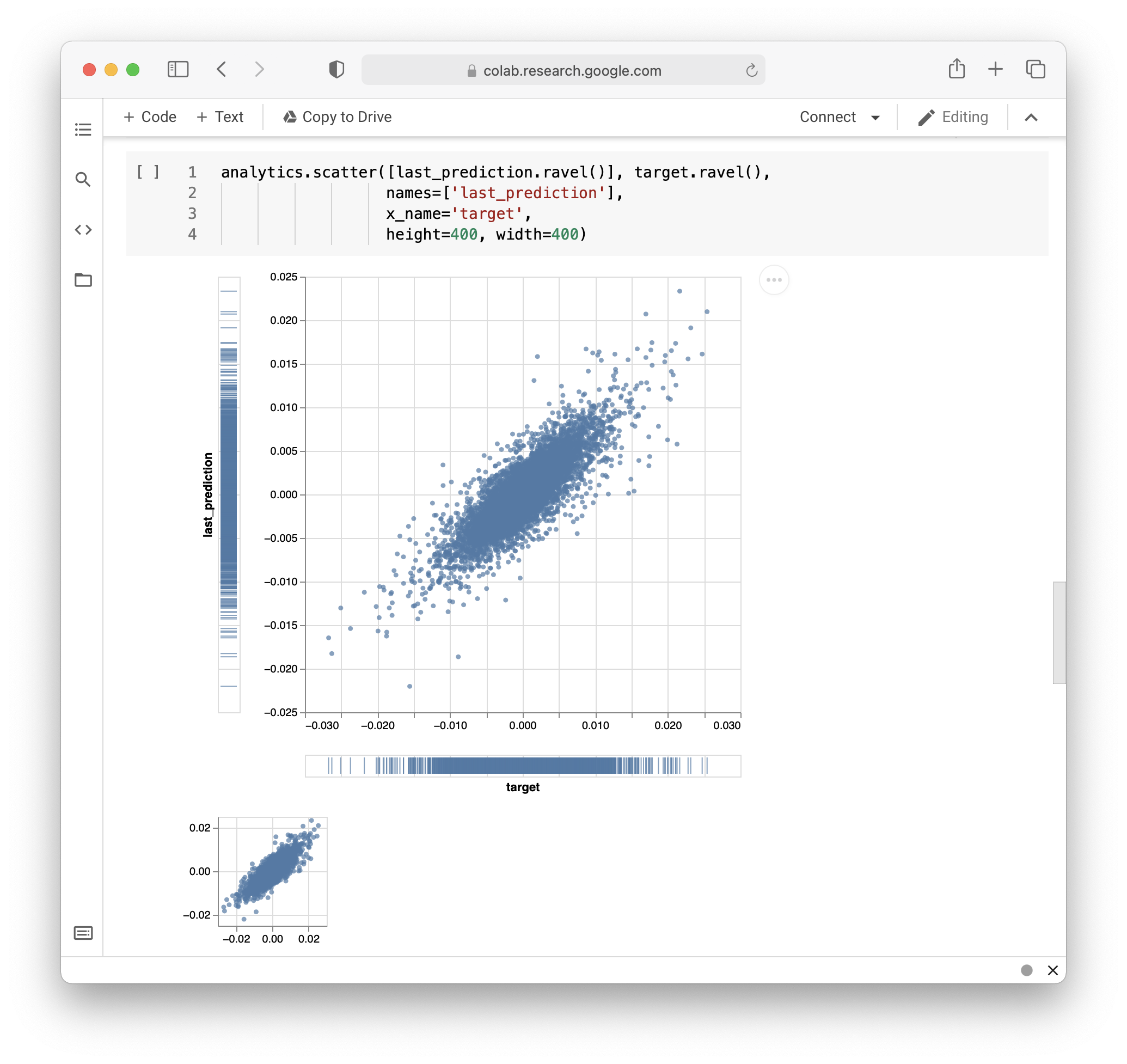
* API for custom visualizations
[](https://colab.research.google.com/github/labmlai/labml/blob/master/samples/stocks/analysis.ipynb)
[](https://colab.research.google.com/github/vpj/poker/blob/master/kuhn_cfr/kuhn_cfr.ipynb)
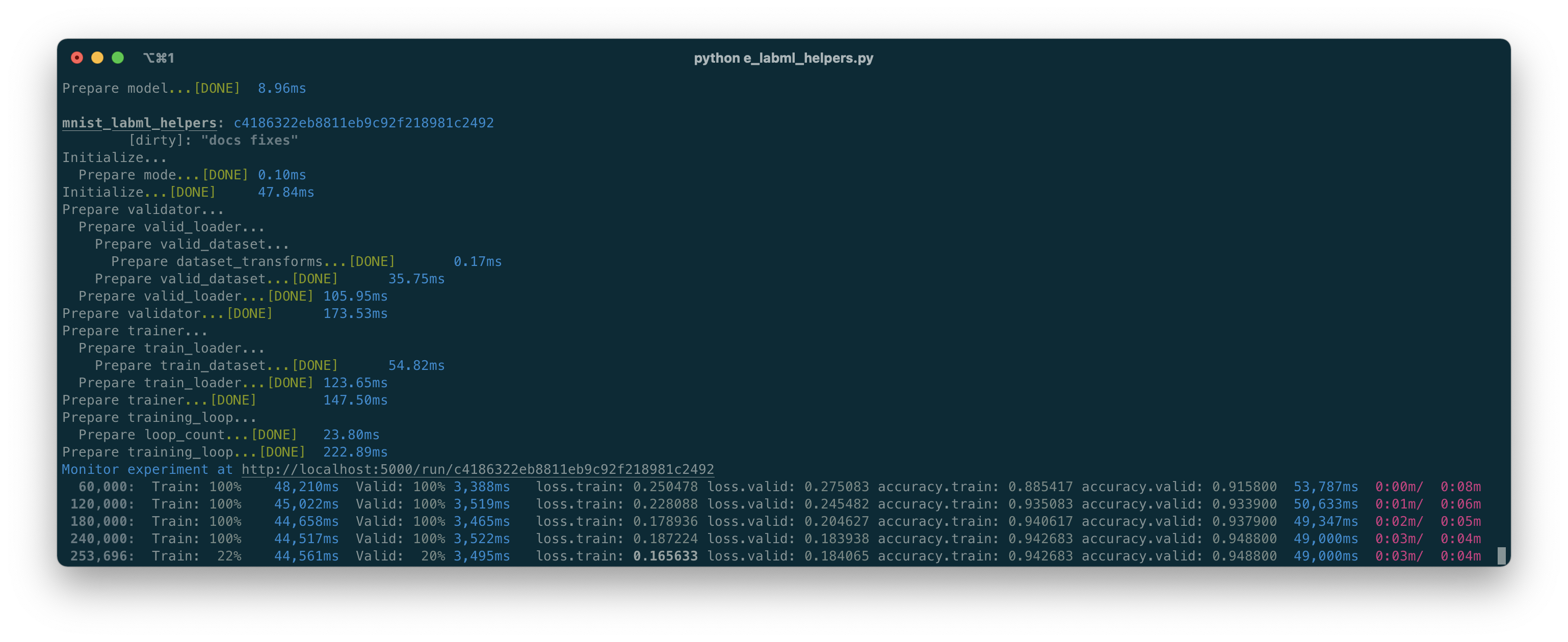
* Pretty logs of training progress
* [Change hyper-parameters while the model is training](https://github.com/labmlai/labml/blob/master/guides/dynamic_hyperparameters.md)
* Open source! we also have a small hosted server for the mobile web app
### Installation
You can install this package using PIP.
```bash
pip install labml
```
### PyTorch example
[](https://colab.research.google.com/drive/1Ldu5tr0oYN_XcYQORgOkIY_Ohsi152fz?usp=sharing) [](https://www.kaggle.com/hnipun/monitoring-ml-model-training-on-your-mobile-phone)
```python
from labml import tracker, experiment
with experiment.record(name='sample', exp_conf=conf):
for i in range(50):
loss, accuracy = train()
tracker.save(i, {'loss': loss, 'accuracy': accuracy})
```
### PyTorch Lightning example
[](https://colab.research.google.com/drive/15aSPDwbKihDu_c3aFHNPGG5POjVlM2KO?usp=sharing) [](https://www.kaggle.com/hnipun/pytorch-lightning)
```python
from labml import experiment
from labml.utils.lightening import LabMLLighteningLogger
trainer = pl.Trainer(gpus=1, max_epochs=5, progress_bar_refresh_rate=20, logger=LabMLLighteningLogger())
with experiment.record(name='sample', exp_conf=conf, disable_screen=True):
trainer.fit(model, data_loader)
```
### TensorFlow 2.X Keras example
[](https://colab.research.google.com/drive/1lx1dUG3MGaIDnq47HVFlzJ2lytjSa9Zy?usp=sharing) [](https://www.kaggle.com/hnipun/monitor-keras-model-training-on-your-mobile-phone)
```python
from labml import experiment
from labml.utils.keras import LabMLKerasCallback
with experiment.record(name='sample', exp_conf=conf):
for i in range(50):
model.fit(x_train, y_train, epochs=conf['epochs'], validation_data=(x_test, y_test),
callbacks=[LabMLKerasCallback()], verbose=None)
```
### 📚 Documentation
* [Python API Reference](https://docs.labml.ai)
* [Samples](https://github.com/labmlai/labml/tree/master/samples)
##### Guides
* [API to create experiments](https://colab.research.google.com/github/labmlai/labml/blob/master/guides/experiment.ipynb)
* [Track training metrics](https://colab.research.google.com/github/labmlai/labml/blob/master/guides/tracker.ipynb)
* [Monitored training loop and other iterators](https://colab.research.google.com/github/labmlai/labml/blob/master/guides/monitor.ipynb)
* [API for custom visualizations](https://colab.research.google.com/github/labmlai/labml/blob/master/guides/analytics.ipynb)
* [Configurations management API](https://colab.research.google.com/github/labmlai/labml/blob/master/guides/configs.ipynb)
* [Logger for stylized logging](https://colab.research.google.com/github/labmlai/labml/blob/master/guides/logger.ipynb)
### 🖥 Screenshots
#### Formatted training loop output