# STLocationRequest
**Repository Path**: mirrors_SvenTiigi/STLocationRequest
## Basic Information
- **Project Name**: STLocationRequest
- **Description**: Request the Location Services via a 3D 360° flyover MKMapView 🗺
- **Primary Language**: Unknown
- **License**: MIT
- **Default Branch**: master
- **Homepage**: None
- **GVP Project**: No
## Statistics
- **Stars**: 0
- **Forks**: 0
- **Created**: 2022-01-06
- **Last Updated**: 2026-07-19
## Categories & Tags
**Categories**: Uncategorized
**Tags**: None
## README

STLocationRequest






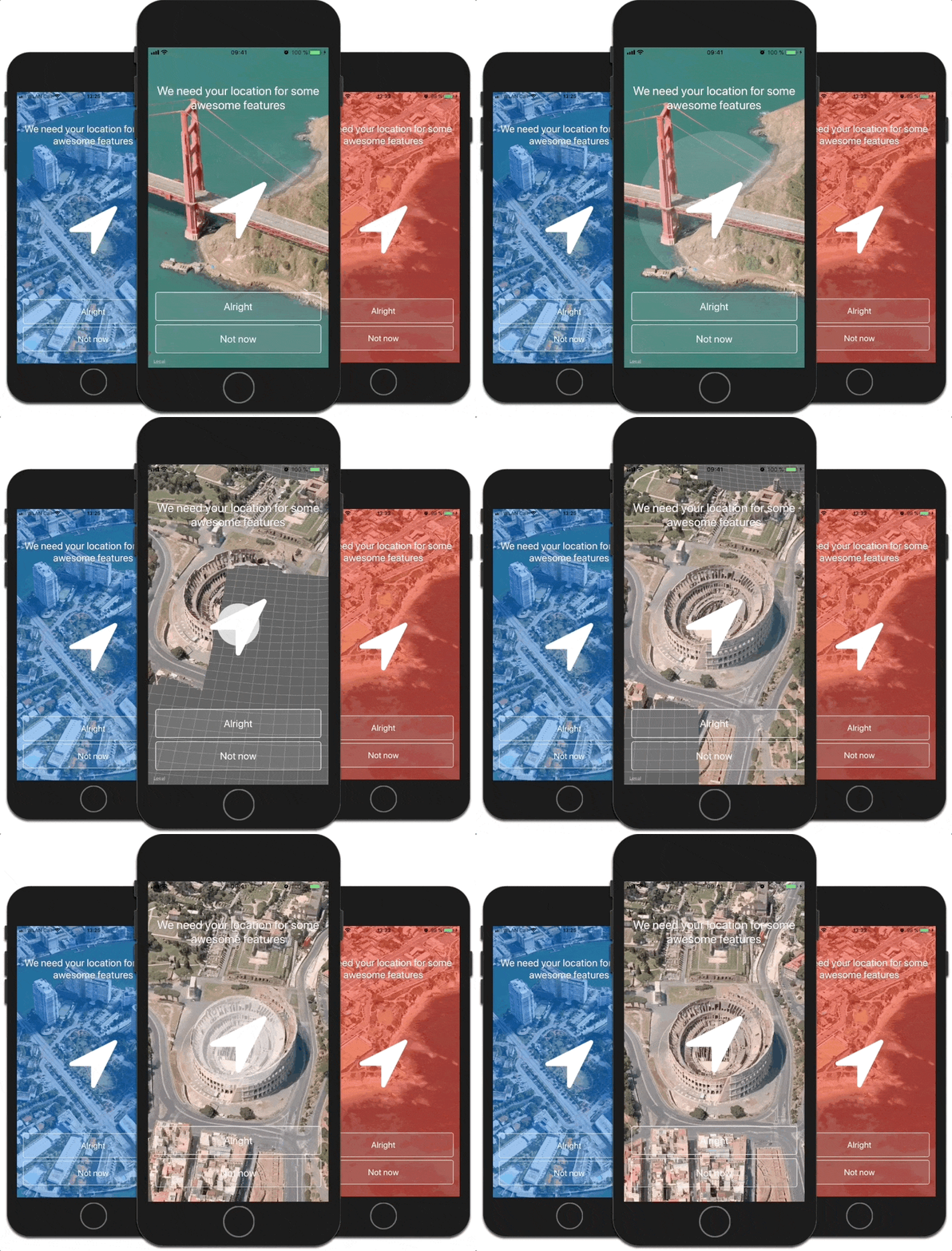
STLocationRequest is a simple and elegant way to request the users location services at the very first time. The `STLocationRequestController` shows a beautiful 3D 360° Flyover-MapView bult on top of [FlyoverKit](https://github.com/SvenTiigi/FlyoverKit) with over 25 cities and landmarks.
## Installation
### CocoaPods
STLocationRequest is available through [CocoaPods](http://cocoapods.org). To install
it, simply add the following line to your Podfile:
```bash
pod 'STLocationRequest'
```
### Carthage
[Carthage](https://github.com/Carthage/Carthage) is a decentralized dependency manager that builds your dependencies and provides you with binary frameworks.
You can install Carthage with [Homebrew](http://brew.sh/) using the following command:
```bash
$ brew update
$ brew install carthage
```
To integrate STLocationRequest into your Xcode project using Carthage, specify it in your `Cartfile`:
```ogdl
github "SvenTiigi/STLocationRequest"
```
Run `carthage update --platform iOS` to build the framework and drag the build:
* `STLocationRequest.framework`
* `FlyoverKit.framework`
into your Xcode project.
On your application targets’ “Build Phases” settings tab, click the “+” icon, choose “New Run Script Phase” and add the Framework paths (for all Frameworks) as mentioned in [Carthage Getting started Step 4, 5 and 6](https://github.com/Carthage/Carthage/blob/master/README.md)
## Usage
```swift
import STLocationRequest
// Initialize STLocationRequestController with STLocationRequestController.Configuration
let locationRequestController = STLocationRequestController { (config: inout STLocationRequestController.Configuration) in
config.title.text = "We need your location for some awesome features"
config.allowButton.title = "Alright"
config.notNowButton.title = "Not now"
config.mapView.alpha = 0.9
config.backgroundColor = UIColor.lightGray
config.authorizeType = .requestWhenInUseAuthorization
}
// Get notified on STLocationRequestController.Events
locationRequestController.onEvent = { event in
if case .locationRequestAuthorized = event {
// Location Request Authorized 🙌
}
}
// Present STLocationRequestController
locationRequestController.present(onViewController: self)
```
> Please keep in mind that the 3D flyover view will only work on a real iOS device ([Read more](#ios-simulator)).
## Configuration
The `STLocationRequestController` can be customized via the the `STLocationRequestController.Configuration` struct. There are plenty of options available 👨💻 More details can be found [here](http://sventiigi.github.io/STLocationRequest/Classes/STLocationRequestController/Configuration.html)
## OnEvent
The `onEvent` function get invoked if an `STLocationRequestController.Event` occured. Simply set an anonymous function of type `(Event) -> Void` to evaluate the event.
```swift
locationRequestController.onEvent = { (event: STLocationRequestController.Event) in
switch event {
case .locationRequestAuthorized:
break
case .locationRequestDenied:
break
case .notNowButtonTapped:
break
case .didPresented:
break
case .didDisappear:
break
}
}
```
## Info.plist
To perform a location request, define a usage description in your `Info.plist` file.
STLocationRequestController.Authorization.**requestWhenInUseAuthorization**
```swift
NSLocationWhenInUseUsageDescription
The usage description
```
STLocationRequestController.Authorization.**requestAlwaysAuthorization**
```swift
NSLocationAlwaysUsageDescription
The usage description
```
The usage description will be shown in the default iOS location request dialog after the user taps the allow button.
## Presenting-Recommendation
The recommended way to present `STLocationRequestController` is:
```swift
if STLocationRequestController.shouldPresentLocationRequestController {
// Location Services are enabled and authorizationStatus is notDetermined
// Ready to present STLocationRequestController
self.presentLocationRequestController()
}
```
## iOS Simulator
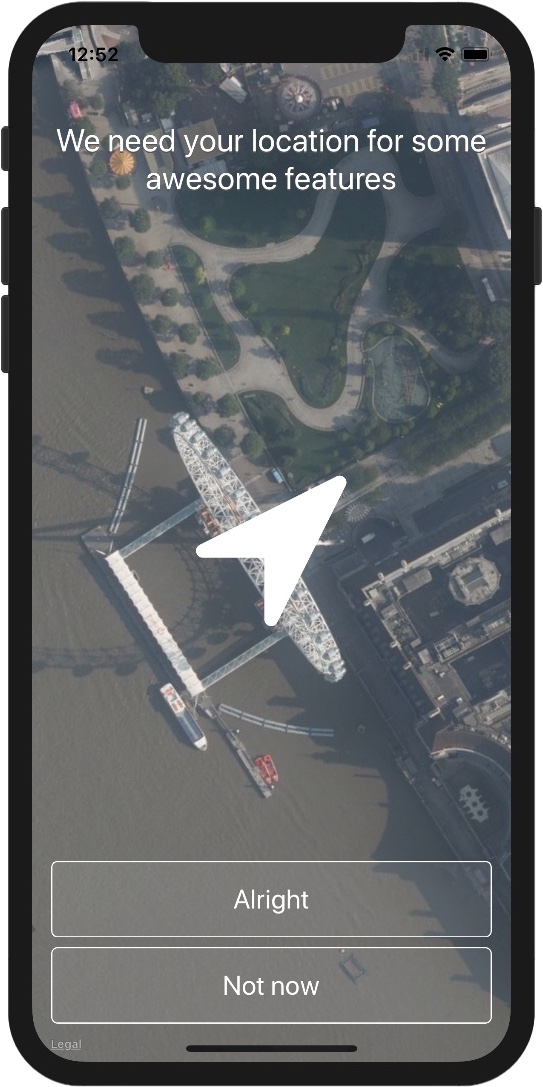
Please keep in mind that the 3D flyover view will only work on a real iOS device with at least iOS 9.0 installed ([Apple Developer API Reference](https://developer.apple.com/reference/mapkit/mkmaptype/1452553-satelliteflyover)). A Screenshot taken from an **iOS Simulator** running a `STLocationRequestController` visualizes the iOS Simulator behaviour.
## Dependencies
`STLocationRequest` uses the following libraries.
+ [FlyoverKit](https://github.com/SvenTiigi/FlyoverKit)
+ [SwiftPulse](https://github.com/ctews/SwiftPulse)
## Contributing
Contributions are very welcome. 🙌 🤓
## Example Application
To run the example Application, generate the Frameworks via `Carthage` first.
```bash
$ carthage update --platform iOS
$ open STLocationRequest.xcodeproj
```
## License
```
STLocationRequest
Copyright (c) 2020 Sven Tiigi
Permission is hereby granted, free of charge, to any person obtaining a copy
of this software and associated documentation files (the "Software"), to deal
in the Software without restriction, including without limitation the rights
to use, copy, modify, merge, publish, distribute, sublicense, and/or sell
copies of the Software, and to permit persons to whom the Software is
furnished to do so, subject to the following conditions:
The above copyright notice and this permission notice shall be included in
all copies or substantial portions of the Software.
THE SOFTWARE IS PROVIDED "AS IS", WITHOUT WARRANTY OF ANY KIND, EXPRESS OR
IMPLIED, INCLUDING BUT NOT LIMITED TO THE WARRANTIES OF MERCHANTABILITY,
FITNESS FOR A PARTICULAR PURPOSE AND NONINFRINGEMENT. IN NO EVENT SHALL THE
AUTHORS OR COPYRIGHT HOLDERS BE LIABLE FOR ANY CLAIM, DAMAGES OR OTHER
LIABILITY, WHETHER IN AN ACTION OF CONTRACT, TORT OR OTHERWISE, ARISING FROM,
OUT OF OR IN CONNECTION WITH THE SOFTWARE OR THE USE OR OTHER DEALINGS IN
THE SOFTWARE.
```