# trame-gofish
**Repository Path**: mirrors_Kitware/trame-gofish
## Basic Information
- **Project Name**: trame-gofish
- **Description**: Trame widget for GoFish charts
- **Primary Language**: Unknown
- **License**: MIT
- **Default Branch**: main
- **Homepage**: None
- **GVP Project**: No
## Statistics
- **Stars**: 0
- **Forks**: 0
- **Created**: 2025-11-16
- **Last Updated**: 2026-07-18
## Categories & Tags
**Categories**: Uncategorized
**Tags**: None
## README
# trame-gofish
Trame widget for GoFish chart library that can be found at
https://gofish.graphics/
If you want to quickly try it out, you can run the command line below (assuming
you have **uv**)
```
uv run https://raw.githubusercontent.com/Kitware/trame-gofish/refs/heads/main/examples/tuto-final.py
```
And you will get the picture below that you can animate!
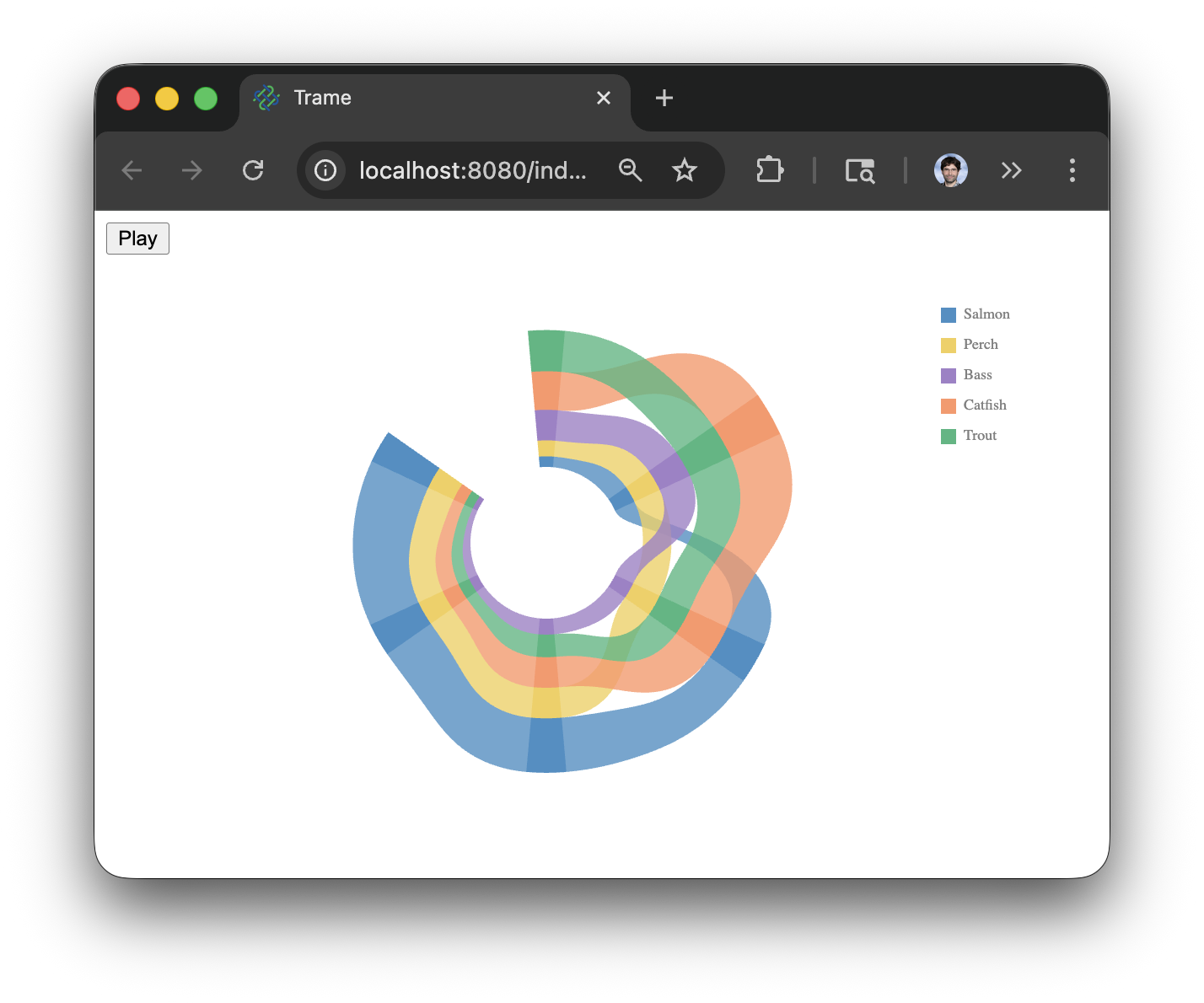
by setting up a widget with trame like
```py
gofish.GoFishGraph(
data=("dataset", SEAFOOD),
update="""
({ gf, data, el }) => (
gf.layer(
{ coord: gf.clock() },
[
gf.chart(data)
.flow(
gf.spread('lake', {
dir: 'x',
spacing: (2 * Math.PI) / 6,
mode: 'center',
y: 50,
label: false,
}),
gf.derive((d) => gf.orderBy(d, 'count')),
gf.stack('species', { dir: 'y', label: false })
)
.mark(gf.rect({ h: 'count', fill: 'species' }))
.as('bars'),
gf.chart(gf.select('bars'))
.flow(gf.group('species'))
.mark(gf.area({ opacity: 0.8 })),
]
).render(el, {
w: 500,
h: 300,
transform: { x: 250, y: 150 },
axes: true,
})
)
""",
)
```
## License
This library is OpenSource and follow the MIT License
## Installation
Install the application/library
```sh
pip install trame-gofish
```
## Development setup
We recommend using uv for setting up and managing a virtual environment for your
development.
```sh
# Create venv and install all dependencies
uv sync --all-extras --dev
# Activate environment
source .venv/bin/activate
# Install commit analysis
pre-commit install
pre-commit install --hook-type commit-msg
# Allow live code edit
uv pip install -e .
```
Build and install the Vue components
```sh
cd vue-components
npm i
npm run build
cd -
```
For running tests and checks, you can run `nox`.
```sh
# run all
nox
# lint
nox -s lint
# tests
nox -s tests
```
## Professional Support
- `Training `\_: Learn how to
confidently use trame from the expert developers at Kitware.
- `Support `\_: Our experts can assist
your team as you build your web application and establish in-house expertise.
- `Custom Development `\_: Leverage
Kitware’s 25+ years of experience to quickly build your web application.