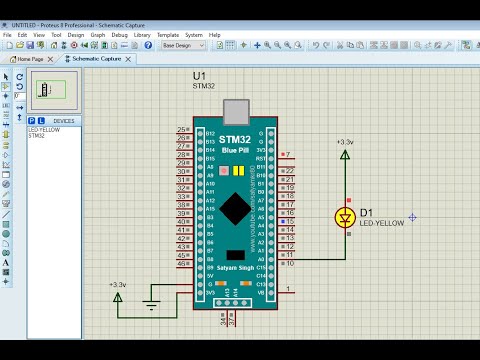
# STM32-BluePill-Library-For-Proteus
**Repository Path**: lzlfsd/STM32-BluePill-Library-For-Proteus
## Basic Information
- **Project Name**: STM32-BluePill-Library-For-Proteus
- **Description**: No description available
- **Primary Language**: Unknown
- **License**: MIT
- **Default Branch**: main
- **Homepage**: None
- **GVP Project**: No
## Statistics
- **Stars**: 0
- **Forks**: 0
- **Created**: 2026-01-12
- **Last Updated**: 2026-01-12
## Categories & Tags
**Categories**: Uncategorized
**Tags**: None
## README
# STM32-BluePill-Library-For-Proteus
First ever board library based on stm32 is now available for proteus. Visit and Subscribe My youtube channel for more libraries and video like this.
https://www.youtube.com/channel/UCOrVJ1fDDCKDYMAYQmn6zWw

## Installation
### Library Installation :
* Download or clone stm32 bluepill for proteus repository.
* Open downloaded folder and copy BLUEPILL.IDX and BLUEPILL.LIB file from this folder.
* Now open Proteus LIBRARY folder (check your proteus installation folder)
```C:\Program Files (x86)\Labcenter Electronics\Proteus 8 Professional\DATA\LIBRARY```
* Now run proteus and open component Library.
* Search for "STM32" or "BLUEPILL" and you can see your installed bluepill library.
### Source code (Hex) :
Note: Select board as : STM32F103C6 in STM32CUBEMX or in STM32CUBEIDE. Only code compiled for STM32F103C6 is supported with this library.
### Video Tutorial