# Burrow
**Repository Path**: liyu2015/Burrow
## Basic Information
- **Project Name**: Burrow
- **Description**: No description available
- **Primary Language**: Unknown
- **License**: MIT
- **Default Branch**: main
- **Homepage**: None
- **GVP Project**: No
## Statistics
- **Stars**: 0
- **Forks**: 0
- **Created**: 2026-06-10
- **Last Updated**: 2026-06-10
## Categories & Tags
**Categories**: Uncategorized
**Tags**: None
## README
# Burrow
**A free, open-source [mole.fit](https://mole.fit/) — a native macOS GUI for the [Mole](https://github.com/tw93/Mole) CLI (`mo`).**



Burrow wraps the free, open-source `mo` CLI in a native Mac app: clean junk,
purge dev artifacts, sweep leftover installers, uninstall apps, run safe
maintenance, map your disk, and watch live system status — all in one
translucent window. On top of that it adds two things the CLI doesn't have:
a **long-running history** of your Mac's metrics in a local SQLite database,
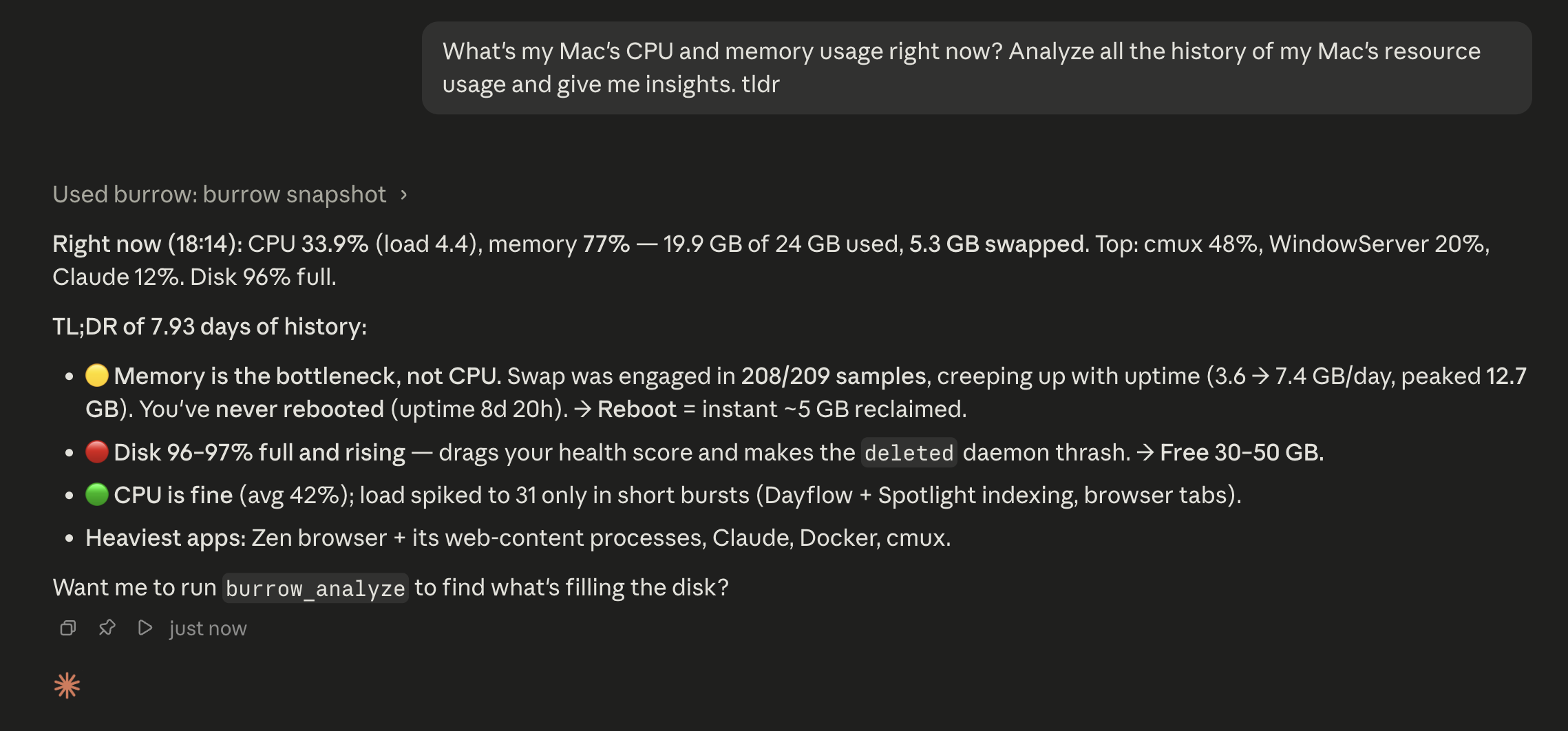
and an **MCP server** so any AI agent (Claude Code, Cursor, Codex…) can ask
"what's been happening on this Mac."
> Burrow is an independent open-source project. It's *inspired by* mole.fit's
> structure and built on the same `mo` engine, but it is **not affiliated
> with or endorsed by mole.fit** — its own name, mark, palette, and copy are
> original.
## Screenshots
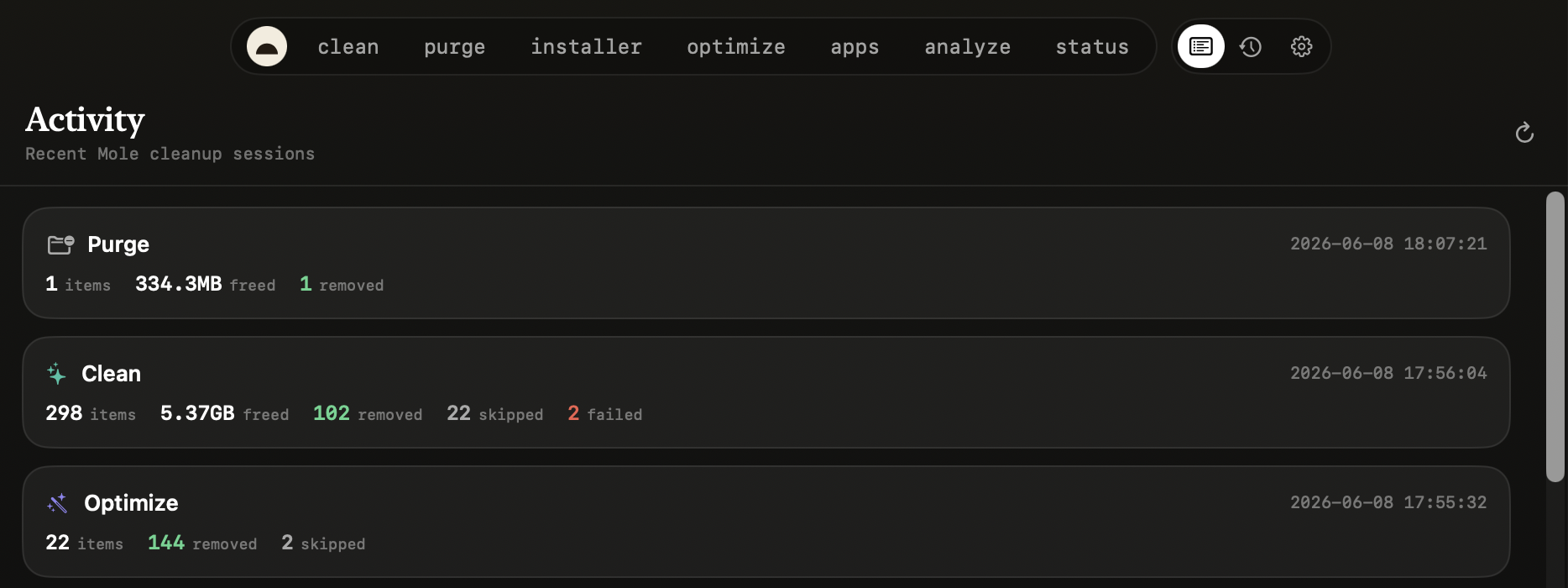
Explain with AI — point an MCP-capable agent (Claude Code, or a local model via LM Studio) at Burrow and ask your Mac in plain language.
## The tools
| Tool | What it does | `mo` command |
|---|---|---|
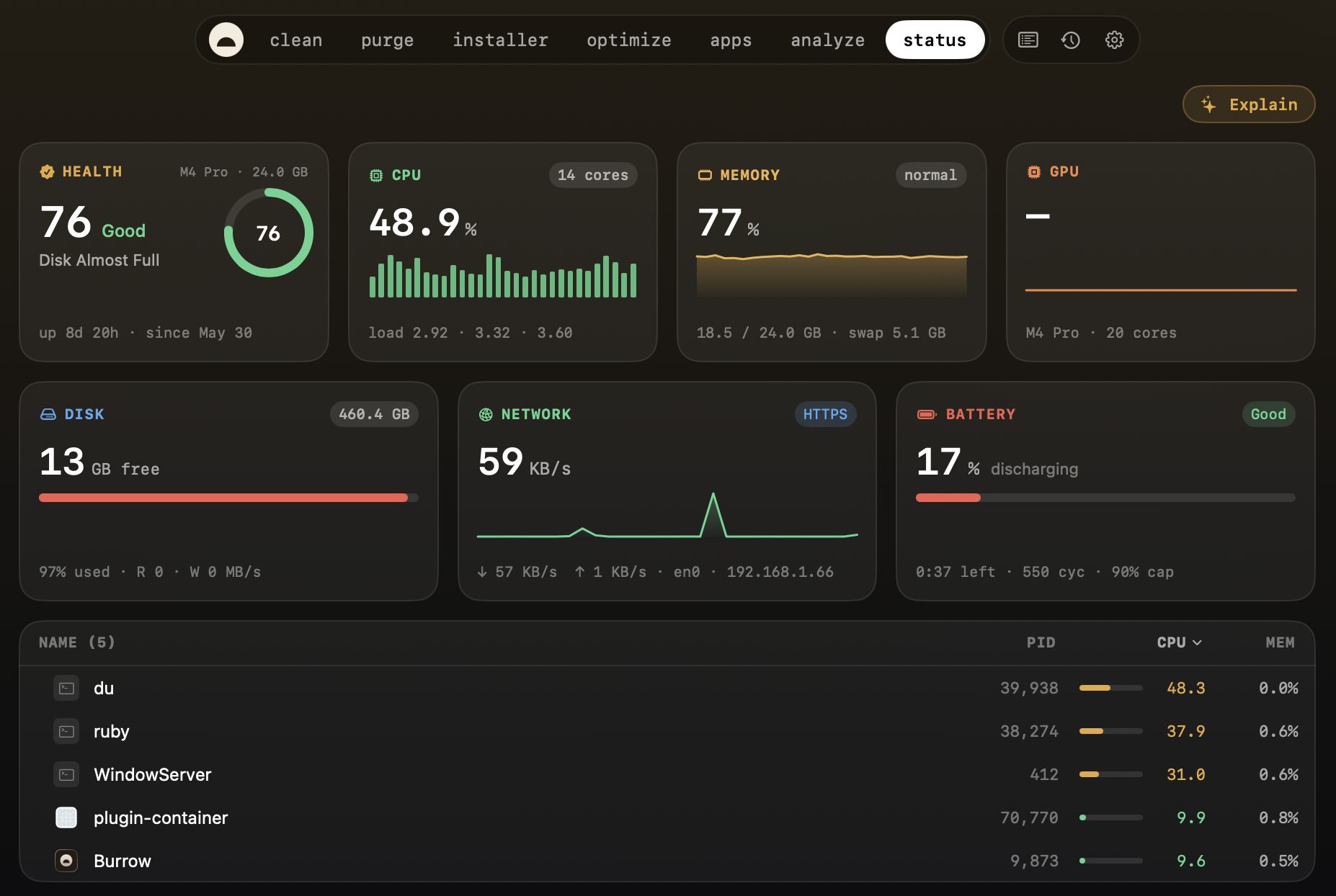
| **Status** | Live dashboard with per-metric sparklines and a sortable/pinnable process table. | `mo status --json` |
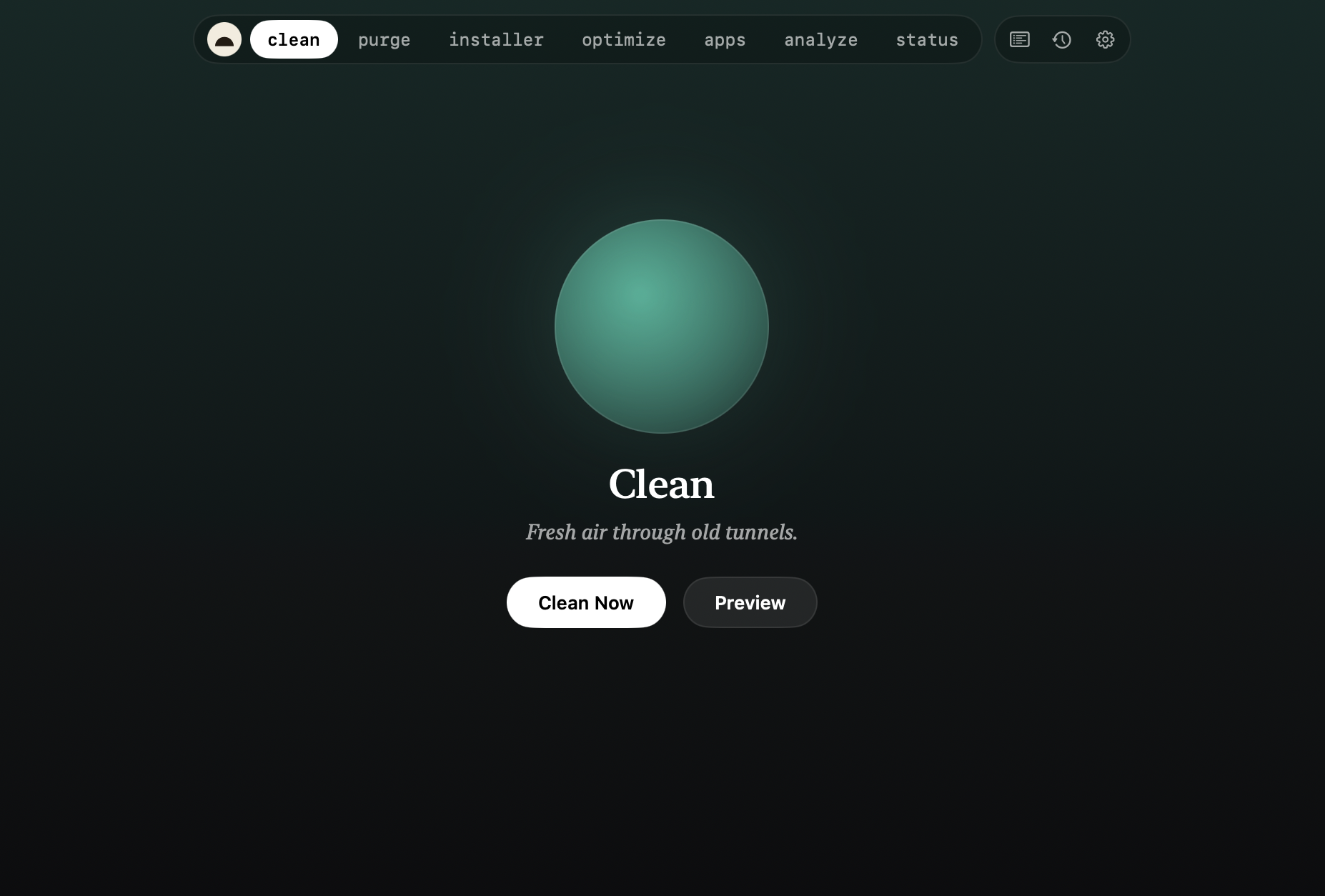
| **Clean** | Preview what's reclaimable, then clean for real — categorized cache/log/leftover removal. | `mo clean` |
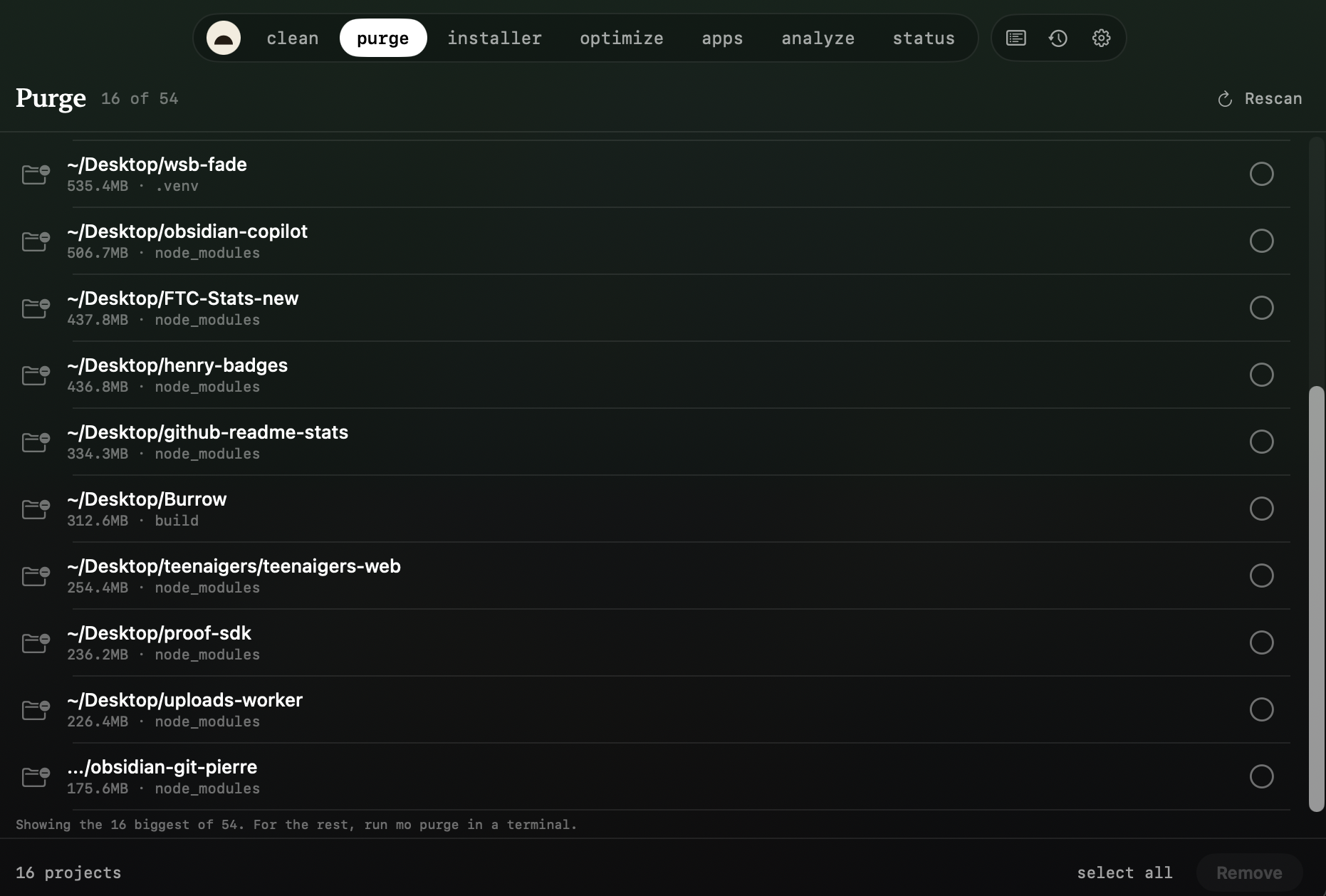
| **Purge** | Reclaim space from dev projects: `node_modules`, build dirs, `target/`, `__pycache__`, and more. | `mo purge` |
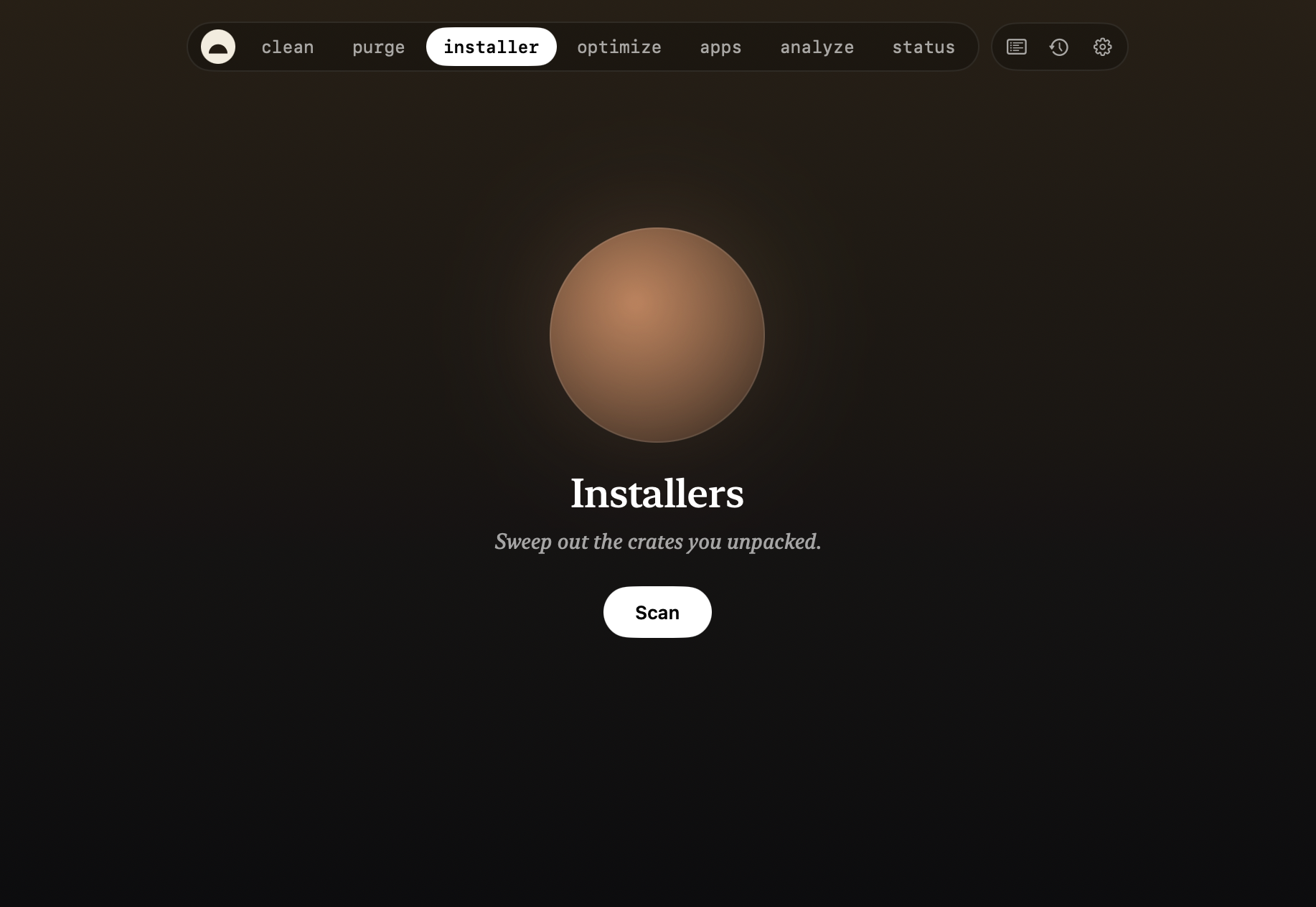
| **Installers** | Find and remove leftover `.dmg`/`.pkg` installer files in bulk. | `mo installer` |
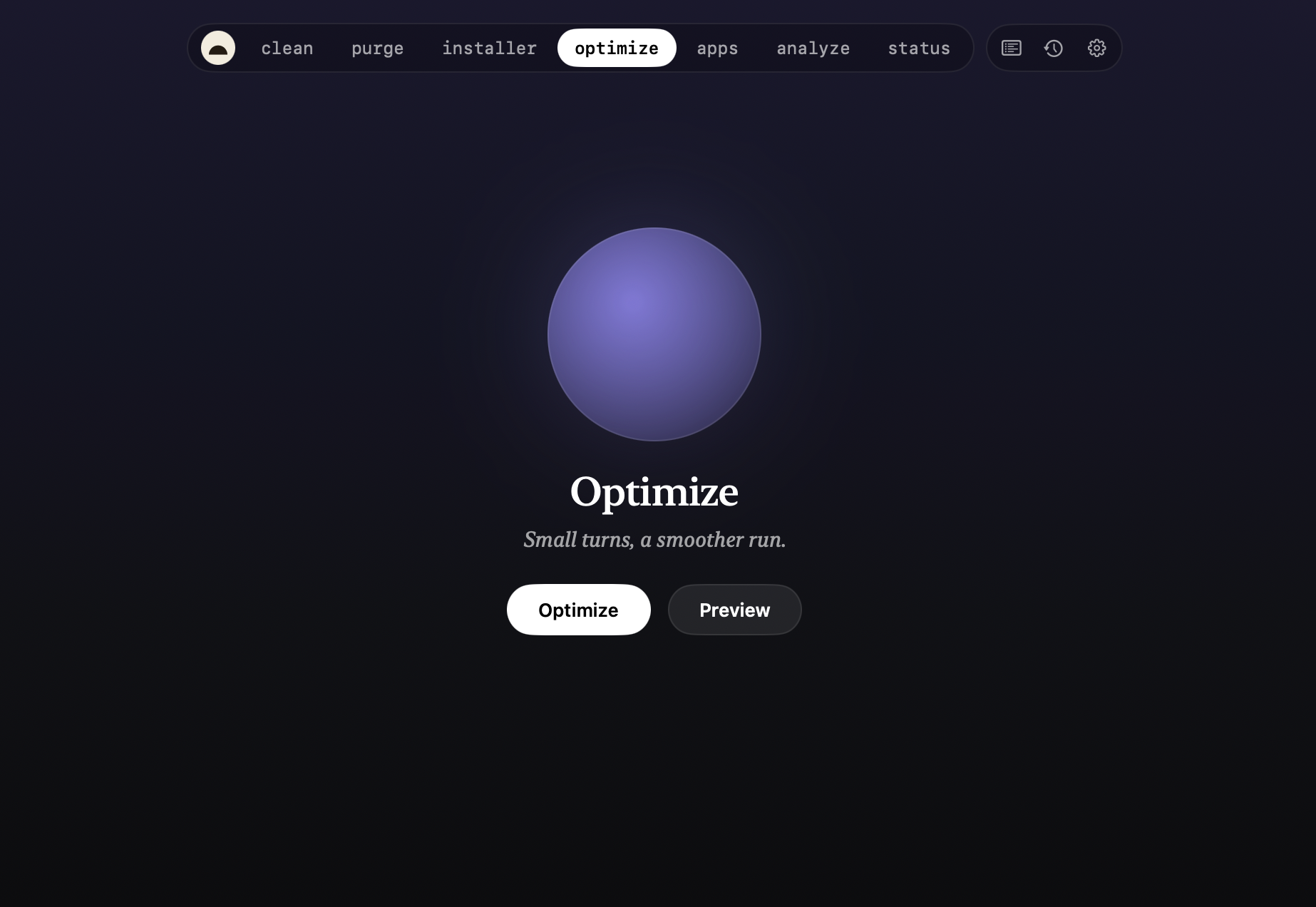
| **Optimize** | One-tap safe maintenance: rebuild caches, repair metadata, flush DNS, restart Dock/Finder. | `mo optimize` |
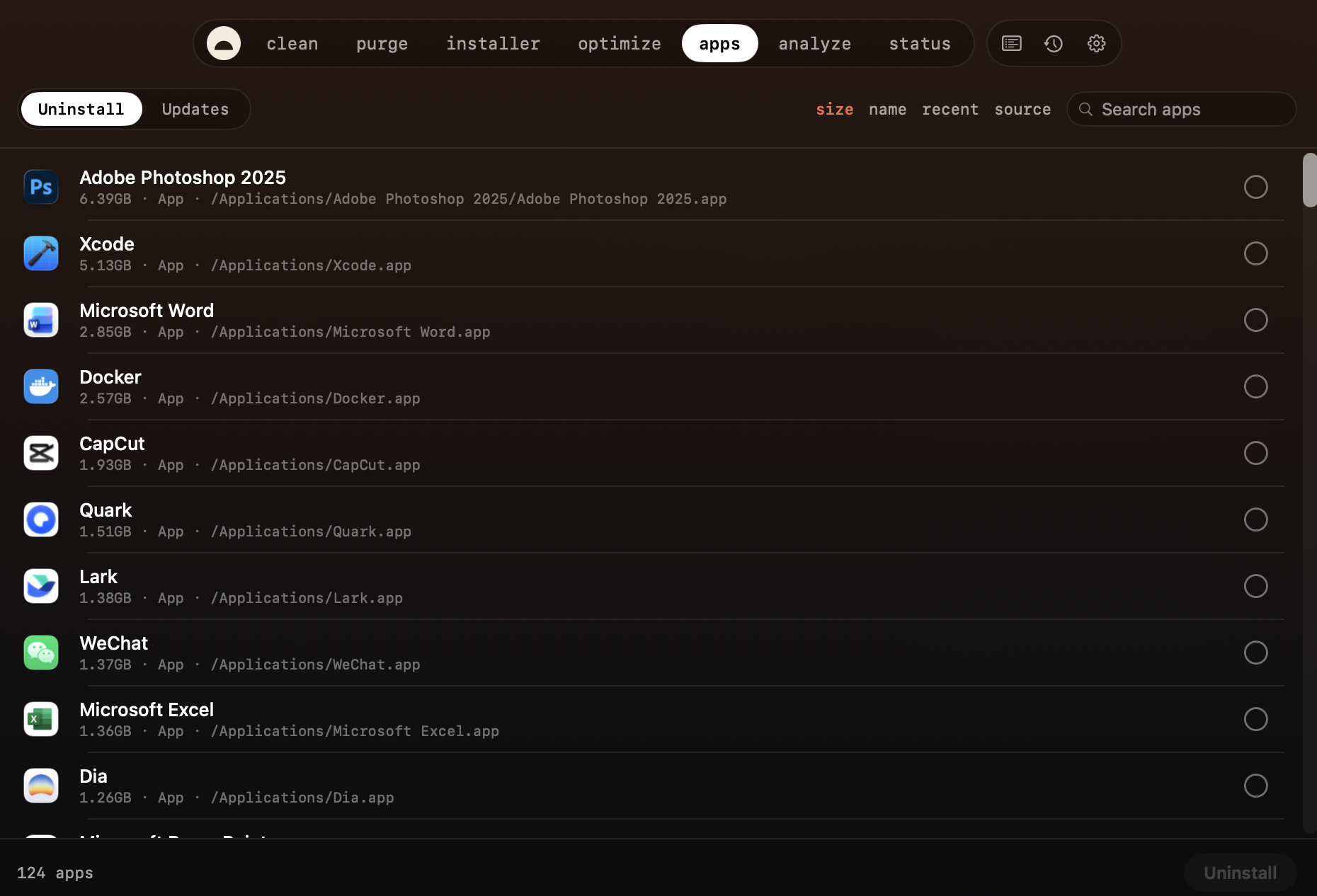
| **Software** | Installed-app list with search/sort (size, name, recent, source) and multi-select uninstall; a Homebrew **Updates** tab. | `mo uninstall --list`, `brew outdated` |
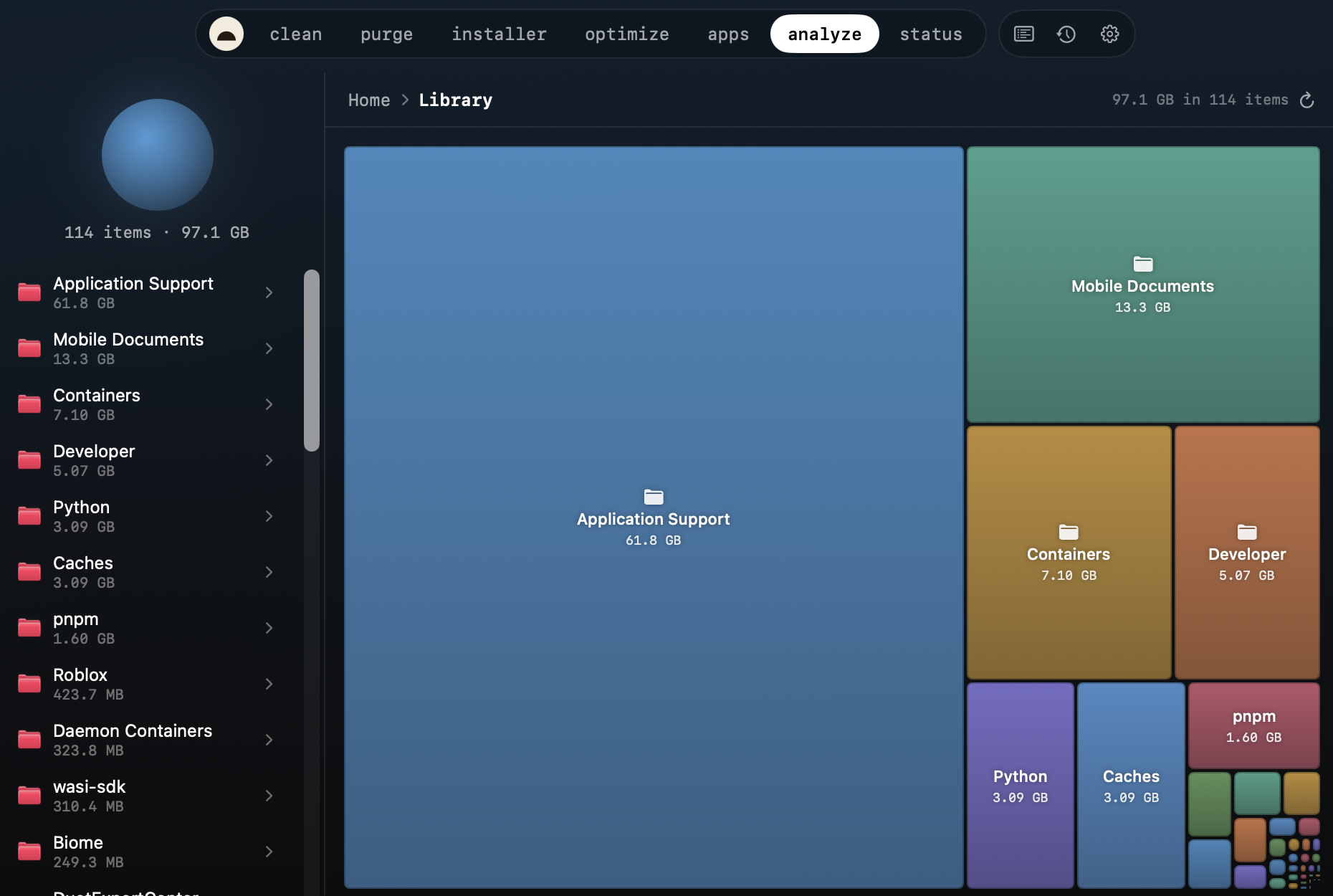
| **Analyze** | Squarified treemap of your disk; drill into any folder, reveal in Finder. | `mo analyze --json` |
Every scan offers a **no-risk preview** (`--dry-run`) first, a clear
**reclaimed-space summary** when it finishes, and a **Stop** button to abort a
running job.
### What's on the Status dashboard
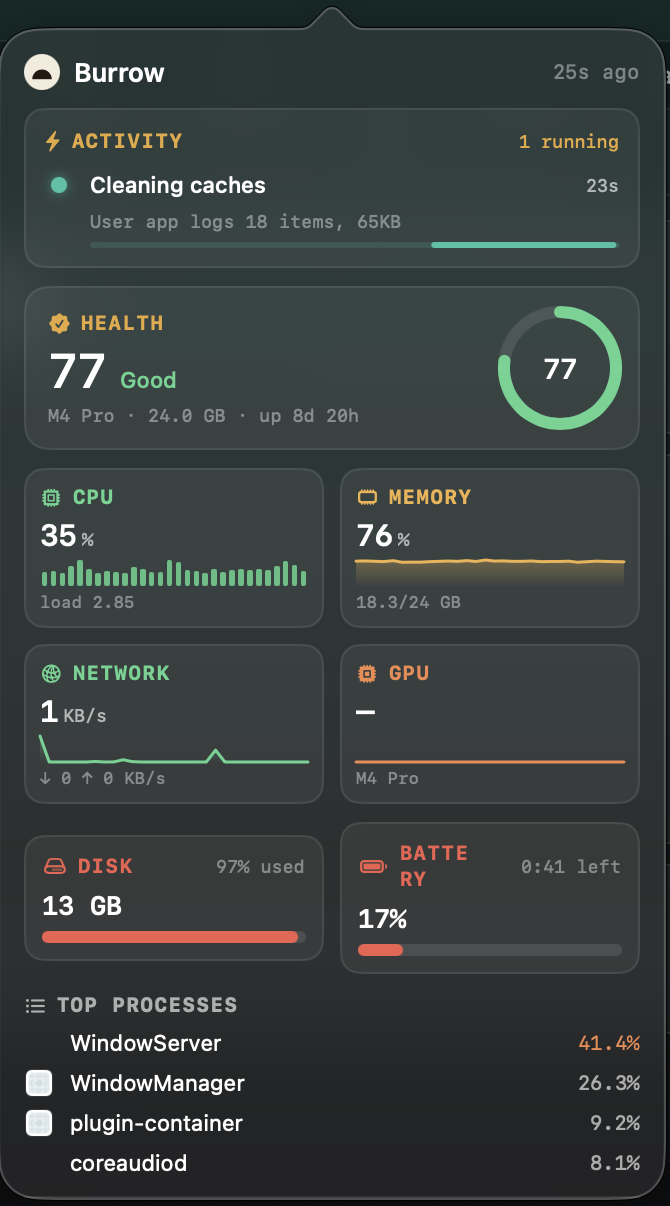
A live, glanceable read of your Mac's vitals, refreshed continuously:
- **CPU** — usage, load averages (1/5/15), core count, temperature
- **Memory** — used %, pressure (normal/warning/critical), swap
- **GPU** — name and utilisation (Apple Silicon via IOAccelerator)
- **Disk** — capacity and live read/write I/O rates
- **Network** — up/down throughput per interface
- **Battery** — percentage, health, cycle count, time remaining
- **Health score** — Mole's overall 0–100 rating, with a one-line reason
- **Top processes** — by CPU or memory, sortable and pinnable
### Burrow's own extras
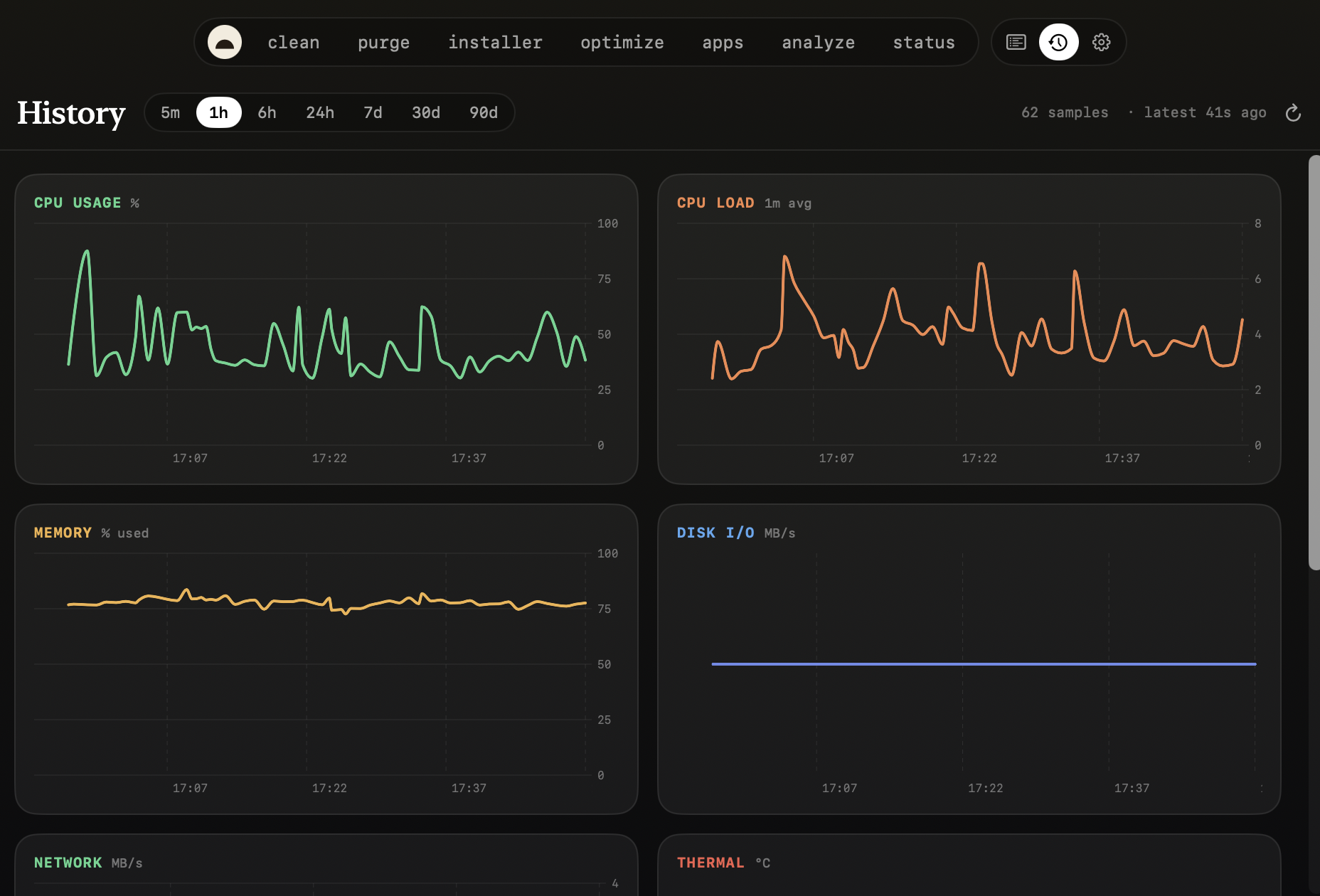
- **History** — long-range charts (5 m → 90 d) over a local SQLite history of
every metric, plus peak-per-process tables. Nothing the CLI keeps.
- **Activity** — a running log of what Burrow has done (cleans, optimizes,
scans) and the live status of anything in flight.
- **Menu-bar HUD** — health hero, metric tiles, top processes, and live job
status, all from the menu bar (you can also run as a Dock app instead).
- **MCP server** — a stdio JSON-RPC server (`burrow mcp` / `Burrow --mcp`) plus
an optional localhost HTTP API, so any AI agent can query your Mac's recent
state. See [Use it with your AI agent](#use-it-with-your-ai-agent).
## How Burrow compares
| | **Burrow** | mole.fit | CleanMyMac | Pearcleaner | `mo` / ncdu |
|---|:---:|:---:|:---:|:---:|:---:|
| Price | **Free** | $9 once | Subscription | Free | Free |
| Open source | **MIT** | – | – | ✅ | ✅ (`mo`) |
| Signed / notarized | in progress | ✅ | ✅ | ✅ | n/a |
| Junk cleanup | ✅ | ✅ | ✅ | – | ✅ (`mo`) |
| Dev-artifact purge | ✅ | ✅ | partial | – | ✅ (`mo`) |
| Leftover-installer sweep | ✅ | ✅ | ✅ | – | ✅ (`mo`) |
| Uninstall + leftovers | ✅ | ✅ | ✅ | ✅ *(focus)* | ✅ (`mo`) |
| Disk treemap | ✅ | ✅ | ✅ | – | ncdu *(TUI)* |
| Live system monitor | ✅ | ✅ | partial | – | – |
| Long-term metric history | ✅ | – | – | – | – |
| MCP / agent API | ✅ | – | – | – | – |
| GUI | ✅ | ✅ | ✅ | ✅ | – *(terminal)* |
Honest notes: **mole.fit** is more polished, signed, and supported — buy it
($9) if you want that and to fund `mo`. **Pearcleaner** is an excellent,
focused open-source uninstaller. **ncdu**/`mo` are terminal tools; Burrow is
the GUI for people who'd rather not live in the shell.
## Settings
Everything is local and takes effect immediately unless noted:
| Setting | What it controls |
|---|---|
| **History retention** | How long metric history is kept (1 day → 1 year); older rows are pruned hourly. |
| **Vacuum after large prunes** | Reclaim DB file space after a big prune (off by default). |
| **Sampling rate** | How often Burrow runs `mo status --json` (5 s → 5 min). |
| **Menu-bar icon** | Show the menu-bar item, or run as a regular Dock app instead. |
| **MCP / agent access** | Copyable stdio config + the tool list for Claude Code, Cursor, Codex, Cline, and any MCP client. |
| **Local HTTP query server** | Optional loopback REST API + port for dashboards/curl *(relaunch)*. |
| **Mole engine** | Shows the installed `mo` version, with a one-click **Update Mole**. |
## Permissions & Full Disk Access
Cleaning system and app caches means reading TCC-protected folders, so macOS
will prompt — once per folder — unless the app has **Full Disk Access**. Burrow
handles this honestly:
- Before a flood-prone scan it shows a gate explaining the trade-off, with a
one-click link to **System Settings → Full Disk Access** (grant once, no more
prompts).
- Don't want to grant it? **Scan with admin** runs the same scan as root —
root bypasses TCC, so it's a single password prompt instead of a flood.
- Burrow only ever reads sizes; it never opens that data itself, and the real
cleanup always goes through macOS's own admin dialog.
## Requirements
- **macOS 14+**
- **The Mole CLI** — `brew install mole`. Hard requirement; Burrow refuses to
launch without `mo` on PATH (and offers a guided install if it's missing).
## Install
> Releases are **unsigned** for now (pre-1.0; notarization is being wired up —
> see [#10](https://github.com/caezium/Burrow/pull/10)). Each path below clears
> the Gatekeeper quarantine for you. The full security/trust write-up — network,
> admin rights, no telemetry — is in **[SECURITY.md](SECURITY.md)**.
### Homebrew (recommended)
```bash
brew install mole # required engine
brew install --cask caezium/tap/burrow # the app (clears quarantine)
```
### Direct download
Download `Burrow-x.y.z.zip` from
[Releases](https://github.com/caezium/Burrow/releases), unzip into
`/Applications`, then:
```bash
xattr -cr /Applications/Burrow.app
open /Applications/Burrow.app
```
### Build from source
```bash
brew install xcodegen mole
git clone https://github.com/caezium/Burrow.git && cd Burrow
xcodegen generate
xcodebuild -project Burrow.xcodeproj -scheme Burrow \
-configuration Release -destination 'generic/platform=macOS' \
-derivedDataPath build \
CODE_SIGN_IDENTITY="" CODE_SIGNING_REQUIRED=NO CODE_SIGNING_ALLOWED=NO build
cp -R build/Build/Products/Release/Burrow.app /Applications/
xattr -cr /Applications/Burrow.app
open /Applications/Burrow.app
```
Burrow lives in the menu bar (it's a menu-bar agent). Click the icon → **Open
Burrow** — or turn the menu-bar icon off in Settings to run it as a Dock app.
## Security & trust
Burrow drives the audited `mo` CLI and adds no surveillance of its own:
- **No telemetry, analytics, accounts, ads, or third-party SDKs**, and no
backend — nothing to phone home to.
- **No background root helper.** When Clean/Optimize need admin rights, macOS's
own dialog asks you and Burrow runs that one `mo` command, then exits — you
approve every elevation.
- **Local-only:** the optional MCP HTTP server is loopback (`127.0.0.1`, off by
default) and history is a local SQLite file. The one opt-in network call is
`brew outdated` in the Updates tab.
- **Unsigned, pre-1.0** — full honest write-up, including the trade-offs of the
admin path and the "Scan with admin" option, in **[SECURITY.md](SECURITY.md)**.
## Use it with your AI agent
Burrow doubles as an [MCP](https://modelcontextprotocol.io) server over stdio,
so **any MCP-capable agent** — Claude Code, Cursor, Codex, Cline, Zed, and
others — can read your Mac's recent state. Same server, same `{command, args}`
shape everywhere.
### Let your agent set it up
Paste this to your coding agent and it'll wire itself in:
> Add the **Burrow** MCP server to my config so you can read my Mac's system
> history. It's a local stdio MCP server — run it as `burrow mcp` if the
> Homebrew shim is on my PATH, otherwise
> `/Applications/Burrow.app/Contents/MacOS/Burrow` with args `["--mcp"]`. Add it
> under my MCP servers, reload, and confirm the tools `burrow_snapshot`,
> `burrow_history`, `burrow_top_processes`, `burrow_process_usage`, and
> `burrow_info` are available. Then tell me my Mac's current CPU and memory.
### Or configure it manually
The config is the same JSON for every agent — only the file differs:
```json
{
"mcpServers": {
"burrow": {
"command": "/Applications/Burrow.app/Contents/MacOS/Burrow",
"args": ["--mcp"]
}
}
}
```
| Agent | Where it goes |
|---|---|
| **Claude Code** | `~/.claude/settings.json` — or `claude mcp add burrow -- /Applications/Burrow.app/Contents/MacOS/Burrow --mcp` |
| **Cursor** | `~/.cursor/mcp.json` (global) or `.cursor/mcp.json` (per project) |
| **Codex** | add a `[mcp_servers.burrow]` entry in `~/.codex/config.toml` |
| **Cline / Zed / other** | the client's "MCP servers" / `mcpServers` config |
If you installed via Homebrew, a `burrow` shim is on your PATH, so you can use
`command: "burrow", args: ["mcp"]` instead of the bundle path. Reload the agent
and ask in plain language.
**Tools:**
- `burrow_snapshot` — the latest full status snapshot
- `burrow_history` — a time-series slice of recent snapshots
- `burrow_top_processes` — top processes by peak CPU over a window
- `burrow_process_usage` — rank processes by `cpu_time` / `peak_cpu` / `avg_cpu`
/ `peak_mem`, with the window it used echoed back
- `burrow_info` — what Burrow is recording, retention, and freshness
There's also an optional localhost HTTP API (`127.0.0.1:9277` — `/health`,
`/info`, `/snapshot`, `/metrics`) for dashboards or curl.
## Develop & test
```bash
xcodegen generate
xcodebuild -project Burrow.xcodeproj -scheme Burrow \
-configuration Debug -destination 'platform=macOS' test
```
The suite covers the parts that matter through public interfaces: DB roundtrip
+ range + stride sampler + prune + corruption recovery, Store clamping/defaults,
Maintenance prune, MCP tool routing + the semantic usage ranking, squarified
treemap invariants, the Full Disk Access decision, and `mo` output parsing.
## Architecture
```
mo status --json ──> Sampler ──> SQLite (WAL) ──┬─> Status / History (charts)
├─> HTTP QueryServer (:9277)
└─> burrow mcp (stdio) ─> Claude Code / Cursor / Codex
mo analyze --json ──> DiskScanner + squarified Treemap ──────> Analyze
mo clean / purge / installer / optimize ─> CommandRunner (streamed) ─> the tool tabs
mo uninstall --list ─> Software (+ brew outdated for Updates)
```
One binary, two modes: default is the menu-bar GUI; `burrow mcp` (or `Burrow
--mcp`) is the stdio MCP server (it forks before SwiftUI claims the process).
The whole UI is one translucent window with a top-pill nav (`Brand`/`Tool`
design system); Settings, History, and Activity are panes in that same window.
## Attribution & license
[MIT](LICENSE).
- **Mole CLI** (`mo`) is © [tw93](https://github.com/tw93/Mole), MIT. Burrow
depends on it at runtime and bundles nothing from it.
- Inspired by the **mole.fit** Mac app (same author as `mo`). Burrow is an
independent reimplementation with its own brand — no assets, icons, copy, or
trade dress are taken from mole.fit.
- The history-DB + MCP pattern shares lineage with the same author's
[Stats fork](https://github.com/caezium/stats) (`caezium/stats@henry/history-mcp`).
- Treemap layout: Bruls, Huijsen & van Wijk (2000), "Squarified Treemaps,"
re-implemented from scratch in Swift.