# ExpansionPanel
**Repository Path**: kalinaji0807/ExpansionPanel
## Basic Information
- **Project Name**: ExpansionPanel
- **Description**: No description available
- **Primary Language**: Unknown
- **License**: Not specified
- **Default Branch**: master
- **Homepage**: None
- **GVP Project**: No
## Statistics
- **Stars**: 0
- **Forks**: 0
- **Created**: 2020-06-12
- **Last Updated**: 2024-12-08
## Categories & Tags
**Categories**: Uncategorized
**Tags**: None
## README
# ExpansionPanel
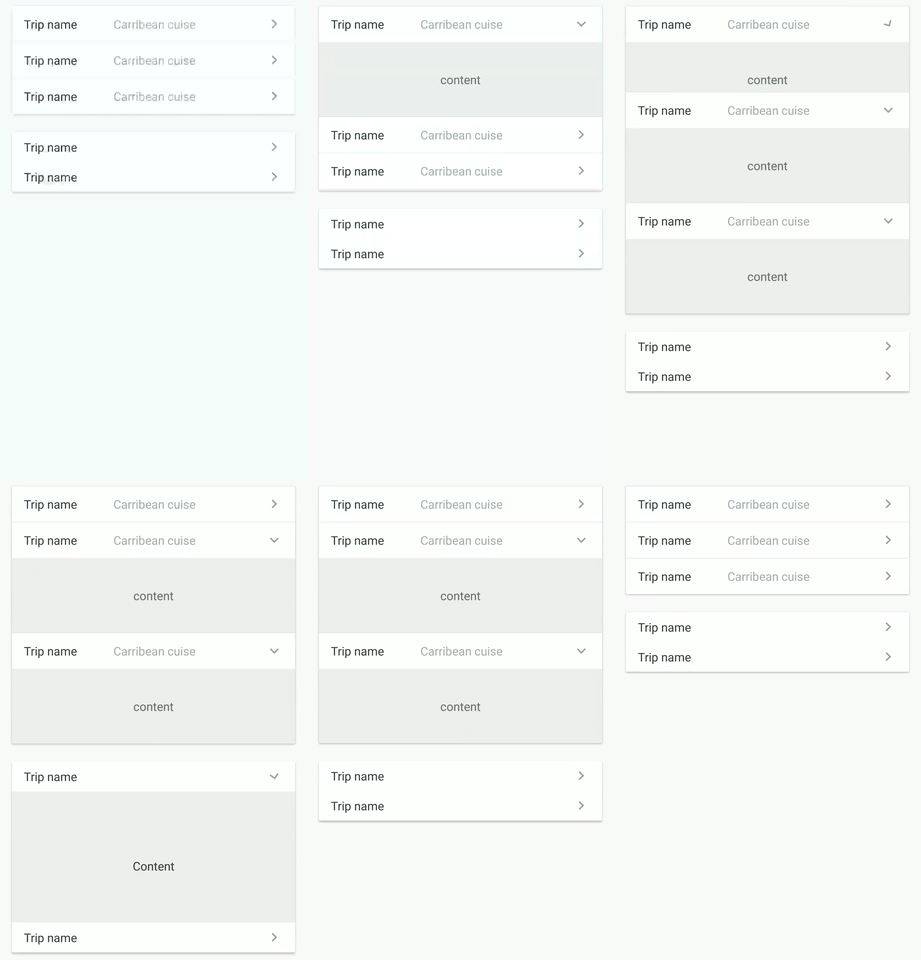
Expansion panels contain creation flows and allow lightweight editing of an element.
*AndroidX Ready*
Based on `Expansion Panels` described on Material Design Components
https://material.io/archive/guidelines/components/expansion-panels.html#
[](https://www.github.com/florent37/ExpansionPanel)
 [](https://www.github.com/florent37/ExpansionPanel)
# Download
[](https://www.github.com/florent37/ExpansionPanel)
# Download
 [  ](https://bintray.com/florent37/maven/expansionpanel/_latestVersion)
```java
dependencies {
implementation 'com.github.florent37:expansionpanel:1.2.4'
}
```
# Usage
```xml
...
```
# Header
1. Connect with his Expansion Layout : `expansion_layout` (they must have the same parent)
2. Define the indicator view with `expansion_headerIndicator` (the id of a view inside the header)
3. If you want to expand/close when the header is clicked, setup `expansion_toggleOnClick`
4. You can modify the indicator rotation with `expansion_headerIndicatorRotationExpanded` and `expansion_headerIndicatorRotationCollapsed`
# Layout
You can modify the default expansion of the label with `app:expansion_expanded="false"
Layout can be toggled programmatically with `.toggle()`
Use `.setEnable(true/false)` to enable/disable the expansion
# Listener
Just add a listener into ExpansionLayout (**not the header !**) to follow the expansion layout state
```java
ExpansionLayout expansionLayout = findViewById(...);
expansionLayout.addListener(new ExpansionLayout.Listener() {
@Override
public void onExpansionChanged(ExpansionLayout expansionLayout, boolean expanded) {
}
});
```
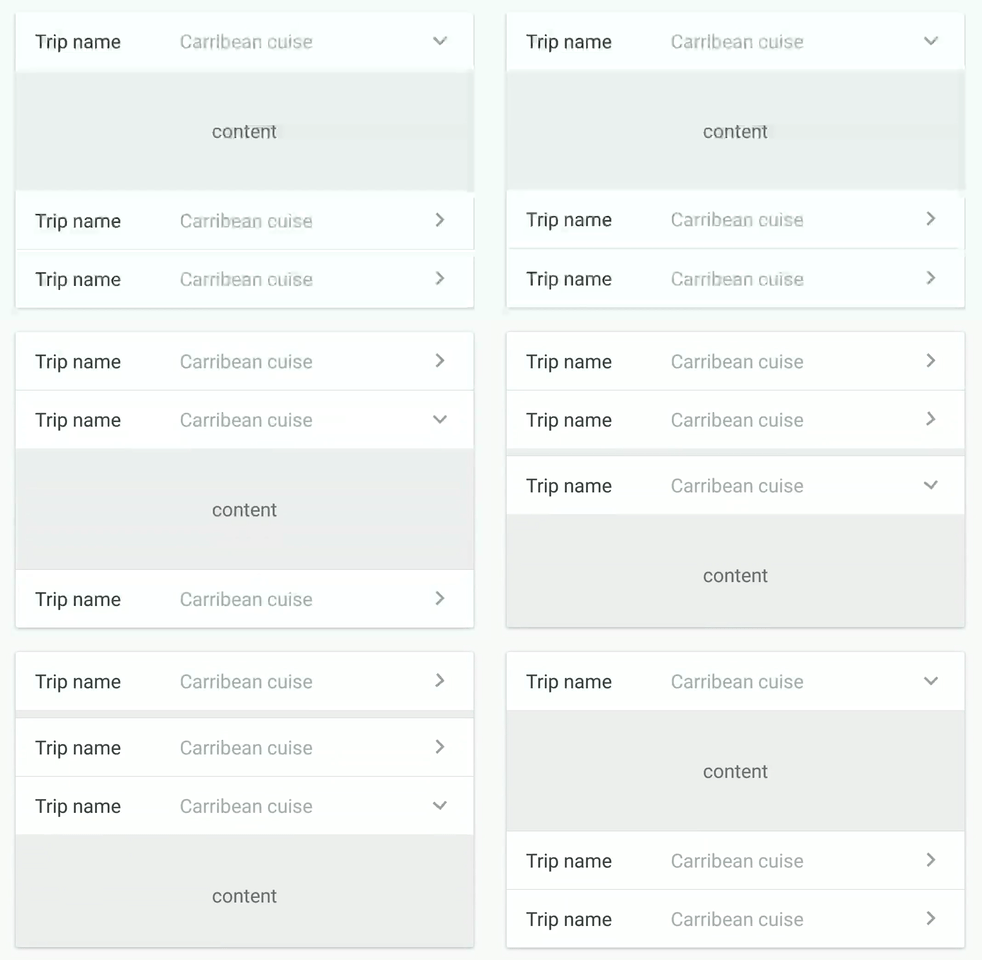
# Open only one
[](https://www.github.com/florent37/ExpansionPanel)
You can setup multiple expansions layout to enable only 1 opened at time
```
final ExpansionLayoutCollection expansionLayoutCollection = new ExpansionLayoutCollection();
expansionLayoutCollection.add(ex1);
expansionLayoutCollection.add(ex2);
expansionLayoutCollection.openOnlyOne(true);
```
or direcly in xml with
- ExpansionsViewGroupLinearLayout
- ExpansionsViewGroupFrameLayout
- ExpansionsViewGroupRelativeLayout
- ExpansionsViewGroupConstraintLayout
```
```
# Horizontal
Simply use `HorizontalExpansionLayout` instead of `ExpansionLayout`
```
```
# RecyclerView
Sample: https://github.com/florent37/ExpansionPanel/blob/master/app/src/main/java/florent37/github/com/expansionpanel/ExpansionPanelSampleActivityRecycler.java
```java
public class MyRecyclerAdapter extends RecyclerView.Adapter {
...
//add an ExpansionLayoutCollection to your recycler adapter
private final ExpansionLayoutCollection expansionsCollection = new ExpansionLayoutCollection();
@Override
public void onBindViewHolder(MyRecyclerHolder holder, int position) {
//bind your elements
//just add the ExpansionLayout (with findViewById) to the expansionsCollection
expansionsCollection.add(holder.getExpansionLayout());
}
}
```
# Single Listener
Update gradle, add ability to have only one listener at time
For what? If you tried to debug ViewHolders with this layout,
then you might notice that over time addListener continues to add a listener,
which causes a lot of unnecessary listeners and, moreover,
there can be many listeners to one layouts in different ViewHolders due to which it may cause logic breakdown
```kotlin
var isExpanded = false
expandableLayout.run {
//expandableLayout.singleListener = true
singleListener = true
expandableLayout.addListener { expansionLayout, expanded ->
isExpanded = expanded
}
//do not toggle (expand/collapse, etc) before add listener
if (isExpanded)
expand(false)
else
collapse(false)
}
```
# Credits
Author: Florent Champigny [http://www.florentchampigny.com/](http://www.florentchampigny.com/)
Blog : [http://www.tutos-android-france.com/](http://www.tutos-android-france.com/)
Fiches Plateau Moto : [https://www.fiches-plateau-moto.fr/](https://www.fiches-plateau-moto.fr/)
[  ](https://bintray.com/florent37/maven/expansionpanel/_latestVersion)
```java
dependencies {
implementation 'com.github.florent37:expansionpanel:1.2.4'
}
```
# Usage
```xml
...
```
# Header
1. Connect with his Expansion Layout : `expansion_layout` (they must have the same parent)
2. Define the indicator view with `expansion_headerIndicator` (the id of a view inside the header)
3. If you want to expand/close when the header is clicked, setup `expansion_toggleOnClick`
4. You can modify the indicator rotation with `expansion_headerIndicatorRotationExpanded` and `expansion_headerIndicatorRotationCollapsed`
# Layout
You can modify the default expansion of the label with `app:expansion_expanded="false"
Layout can be toggled programmatically with `.toggle()`
Use `.setEnable(true/false)` to enable/disable the expansion
# Listener
Just add a listener into ExpansionLayout (**not the header !**) to follow the expansion layout state
```java
ExpansionLayout expansionLayout = findViewById(...);
expansionLayout.addListener(new ExpansionLayout.Listener() {
@Override
public void onExpansionChanged(ExpansionLayout expansionLayout, boolean expanded) {
}
});
```
# Open only one
[](https://www.github.com/florent37/ExpansionPanel)
You can setup multiple expansions layout to enable only 1 opened at time
```
final ExpansionLayoutCollection expansionLayoutCollection = new ExpansionLayoutCollection();
expansionLayoutCollection.add(ex1);
expansionLayoutCollection.add(ex2);
expansionLayoutCollection.openOnlyOne(true);
```
or direcly in xml with
- ExpansionsViewGroupLinearLayout
- ExpansionsViewGroupFrameLayout
- ExpansionsViewGroupRelativeLayout
- ExpansionsViewGroupConstraintLayout
```
```
# Horizontal
Simply use `HorizontalExpansionLayout` instead of `ExpansionLayout`
```
```
# RecyclerView
Sample: https://github.com/florent37/ExpansionPanel/blob/master/app/src/main/java/florent37/github/com/expansionpanel/ExpansionPanelSampleActivityRecycler.java
```java
public class MyRecyclerAdapter extends RecyclerView.Adapter {
...
//add an ExpansionLayoutCollection to your recycler adapter
private final ExpansionLayoutCollection expansionsCollection = new ExpansionLayoutCollection();
@Override
public void onBindViewHolder(MyRecyclerHolder holder, int position) {
//bind your elements
//just add the ExpansionLayout (with findViewById) to the expansionsCollection
expansionsCollection.add(holder.getExpansionLayout());
}
}
```
# Single Listener
Update gradle, add ability to have only one listener at time
For what? If you tried to debug ViewHolders with this layout,
then you might notice that over time addListener continues to add a listener,
which causes a lot of unnecessary listeners and, moreover,
there can be many listeners to one layouts in different ViewHolders due to which it may cause logic breakdown
```kotlin
var isExpanded = false
expandableLayout.run {
//expandableLayout.singleListener = true
singleListener = true
expandableLayout.addListener { expansionLayout, expanded ->
isExpanded = expanded
}
//do not toggle (expand/collapse, etc) before add listener
if (isExpanded)
expand(false)
else
collapse(false)
}
```
# Credits
Author: Florent Champigny [http://www.florentchampigny.com/](http://www.florentchampigny.com/)
Blog : [http://www.tutos-android-france.com/](http://www.tutos-android-france.com/)
Fiches Plateau Moto : [https://www.fiches-plateau-moto.fr/](https://www.fiches-plateau-moto.fr/)


 License
--------
Copyright 2017 Florent37, Inc.
Licensed under the Apache License, Version 2.0 (the "License");
you may not use this file except in compliance with the License.
You may obtain a copy of the License at
http://www.apache.org/licenses/LICENSE-2.0
Unless required by applicable law or agreed to in writing, software
distributed under the License is distributed on an "AS IS" BASIS,
WITHOUT WARRANTIES OR CONDITIONS OF ANY KIND, either express or implied.
See the License for the specific language governing permissions and
limitations under the License.
License
--------
Copyright 2017 Florent37, Inc.
Licensed under the Apache License, Version 2.0 (the "License");
you may not use this file except in compliance with the License.
You may obtain a copy of the License at
http://www.apache.org/licenses/LICENSE-2.0
Unless required by applicable law or agreed to in writing, software
distributed under the License is distributed on an "AS IS" BASIS,
WITHOUT WARRANTIES OR CONDITIONS OF ANY KIND, either express or implied.
See the License for the specific language governing permissions and
limitations under the License.