# Table of contents
1. [About](#about)
2. [Demo](#as-simple-as-you-expect)
3. [Targets](#targets)
4. [Comparison](#comparison)
5. [Getting started](#getting-started)
1. [Installation](#installation)
2. [Quickstart](#quickstart-)
3. [Creating a project](#creating-a-project)
4. [Compiling](#compiling)
6. [Mock document](#mock-document)
7. [Contributing](#contributing)
8. [Sponsors](#sponsors)
9. [Concept](#concept)
10. [License](#license)
# About
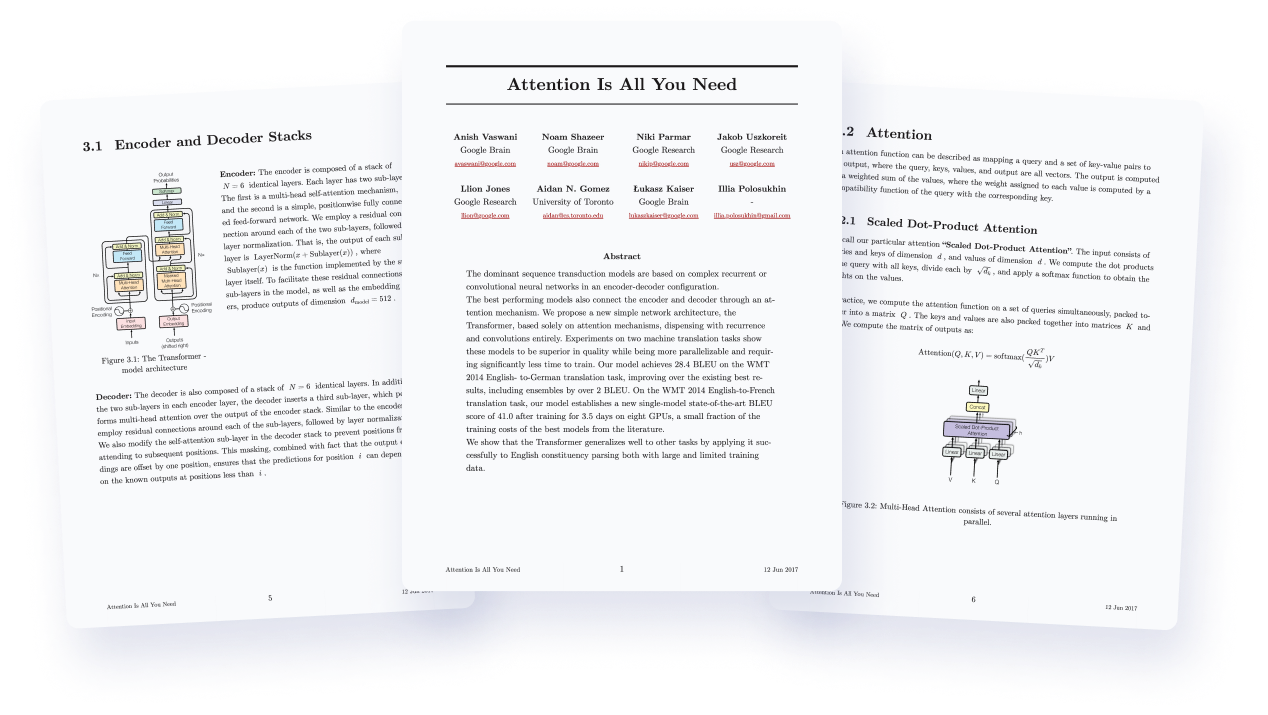
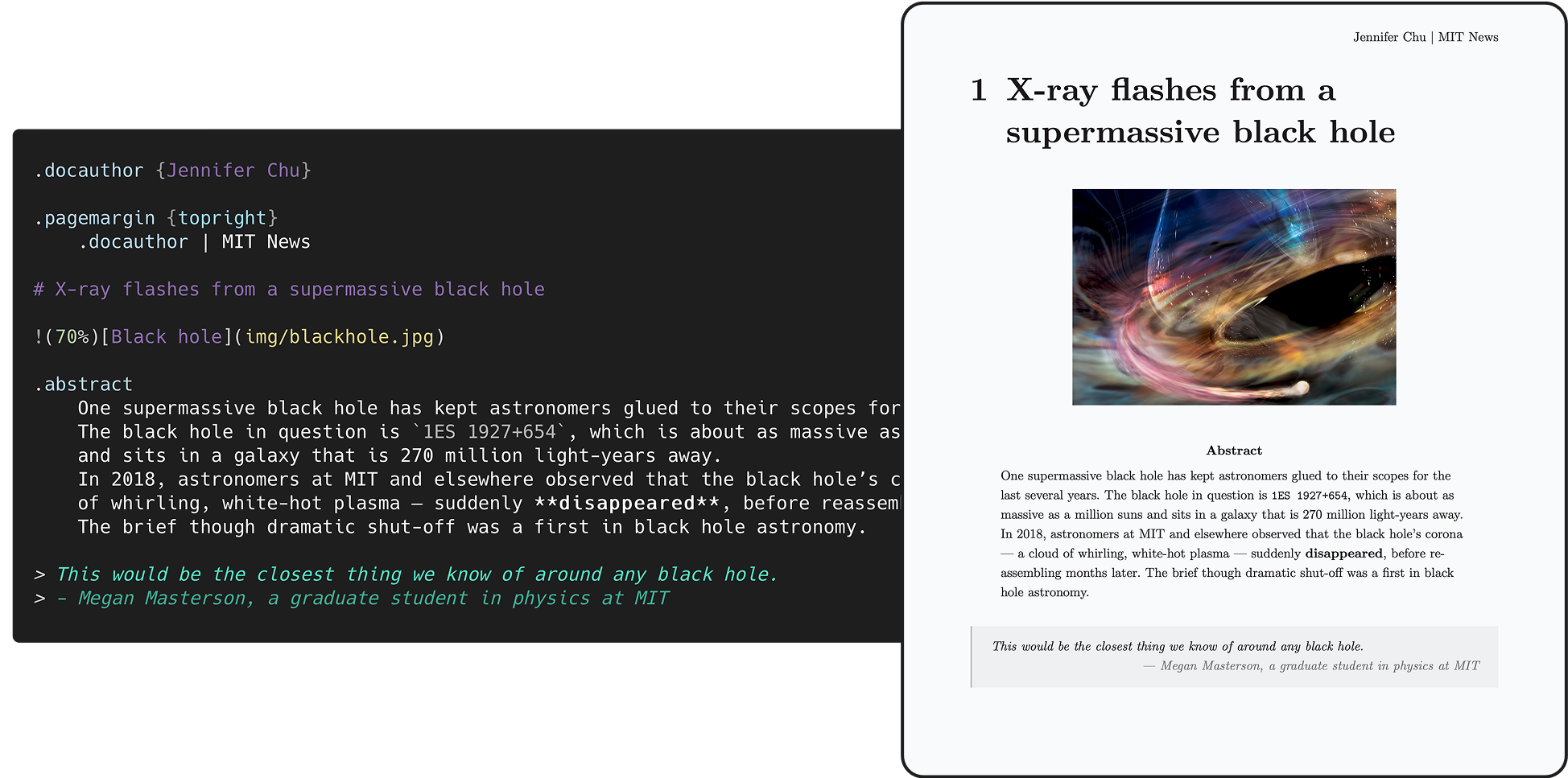
Quarkdown is a modern Markdown-based typesetting system designed for **versatility**. It allows a single project to compile seamlessly into a print-ready book, academic paper, knowledge base, or interactive presentation.
All through an incredibly powerful Turing-complete extension of Markdown, ensuring your ideas flow automatically into paper.
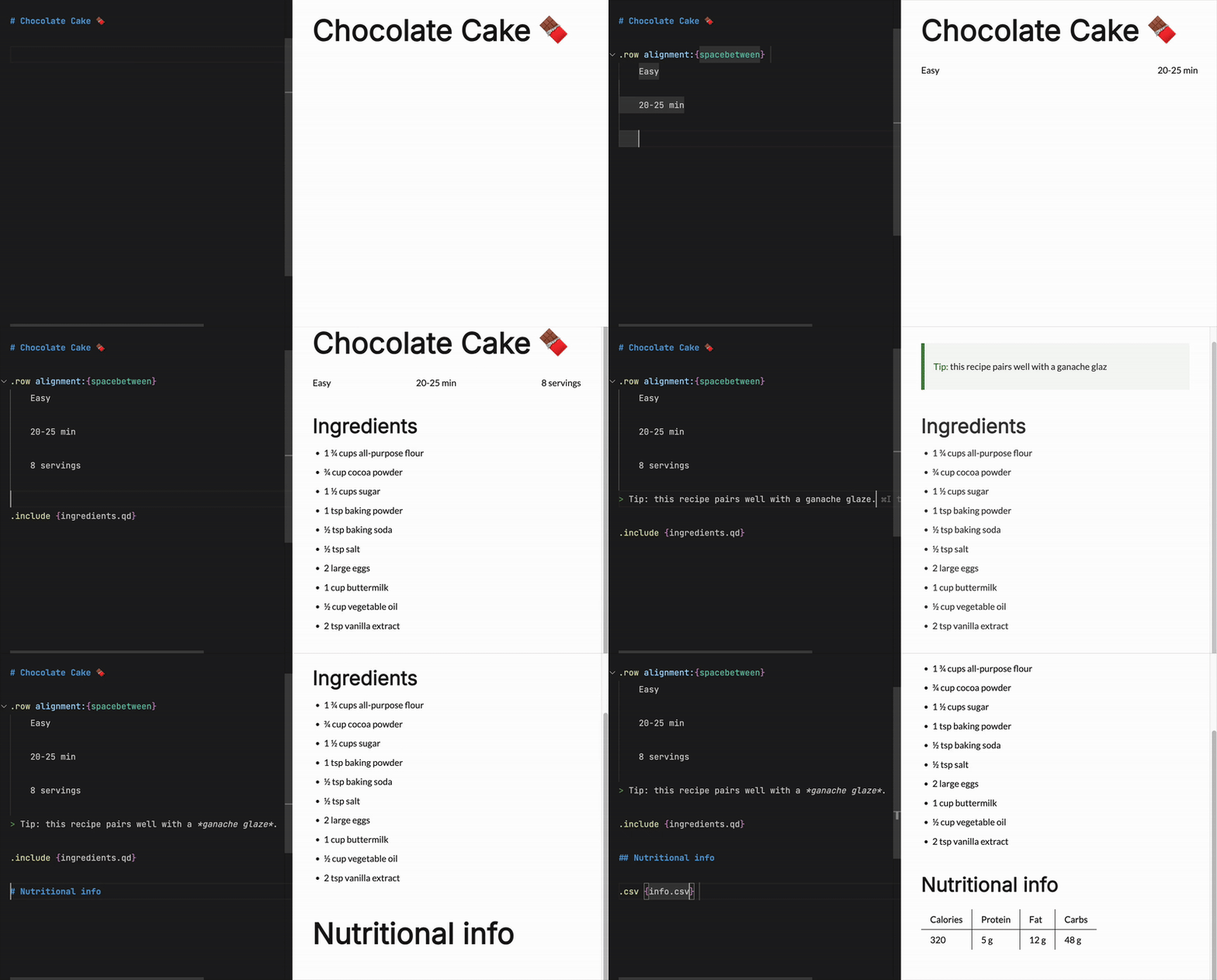
Born as an extension of CommonMark and GFM, the Quarkdown Flavor brings **functions** to Markdown, along with many other syntax extensions.
> This is a function call:
> ```
> .somefunction {arg1} {arg2}
> Body argument
> ```
**Possibilities are unlimited** thanks to an ever-expanding [standard library](quarkdown-stdlib/src/main/kotlin/com/quarkdown/stdlib),
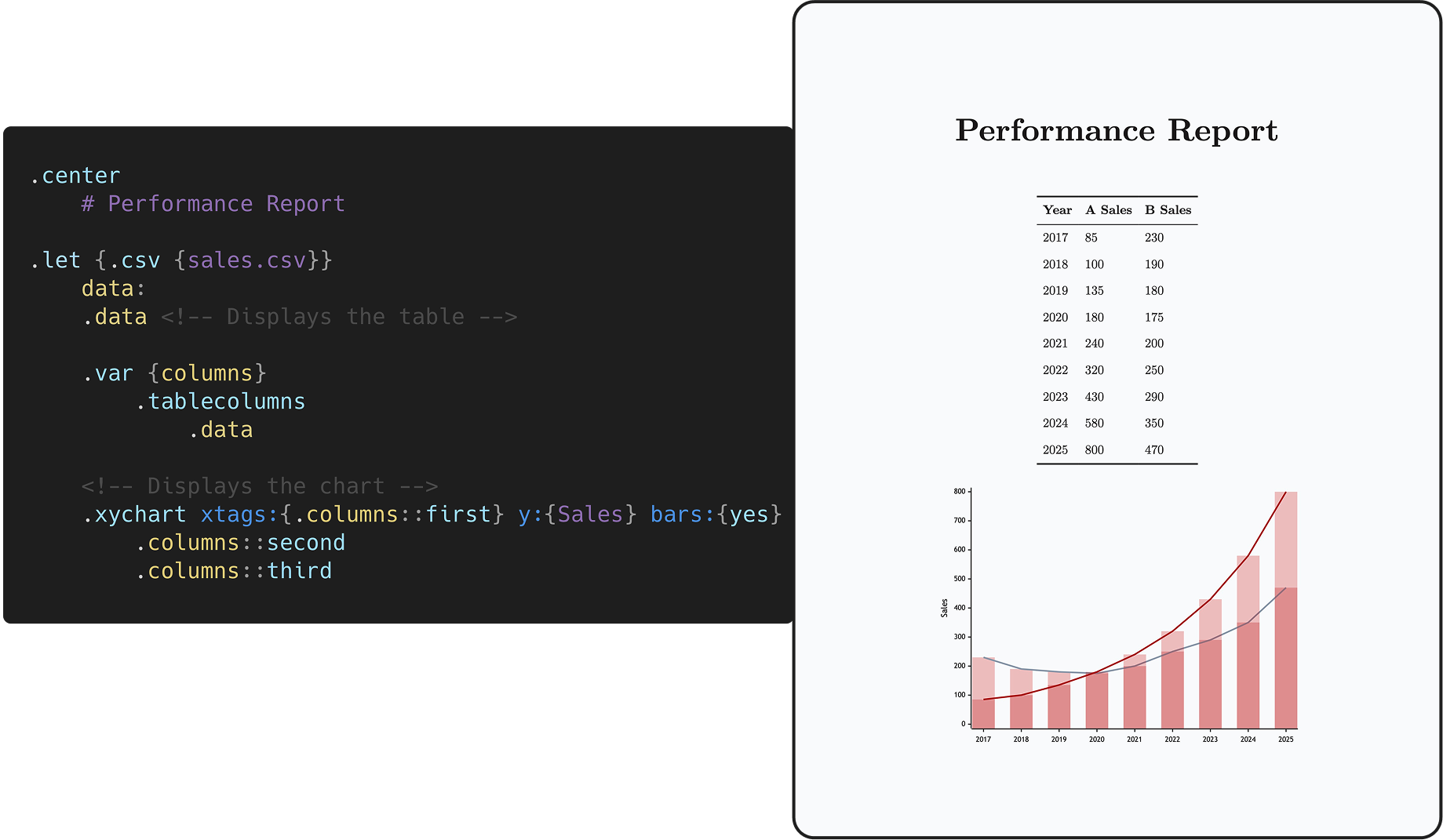
which offers layout builders, I/O, math, conditional statements and loops.
**Not enough?** You can still define your own functions and variables, all within Markdown.
You can even create awesome libraries for everyone to use.
> ```
> .function {greet}
> to from:
> **Hello, .to** from .from!
>
> .greet {world} from:{iamgio}
> ```
> Result: **Hello, world** from iamgio!
This out-of-the-box scripting support opens doors to complex and dynamic content that would be otherwise impossible
to achieve with vanilla Markdown.
Combined with live preview, :zap: fast compilation speed and a powerful [VS Code extension](https://marketplace.visualstudio.com/items?itemName=quarkdown.quarkdown-vscode), Quarkdown simply gets the work done,
whether it's an academic paper, book, knowledge base or interactive presentation.
---
Looking for something?
Check out the wiki
to get started and learn more about the language and its features!
```markdown
.tableofcontents
# Section
## Subsection
1. **First** item
2. **Second** item
.center
This text is _centered_.
.row alignment:{spacebetween}


```
# Getting started
## Installation
### Install script (Linux/macOS)
```shell
curl -fsSL https://raw.githubusercontent.com/quarkdown-labs/get-quarkdown/refs/heads/main/install.sh | sudo env "PATH=$PATH" bash
```
Root privileges let the script install Quarkdown into `/opt/quarkdown` and its wrapper script into `/usr/local/bin/quarkdown`.
If missing, Node.js will be installed automatically using the system's package manager.
For more installation options, check out [get-quarkdown](https://github.com/quarkdown-labs/get-quarkdown).
### Homebrew (Linux/macOS)
```shell
brew install quarkdown-labs/quarkdown/quarkdown
```
### Install script (Windows)
```powershell
irm https://raw.githubusercontent.com/quarkdown-labs/get-quarkdown/refs/heads/main/install.ps1 | iex
```
### Scoop (Windows)
```shell
scoop bucket add quarkdown https://github.com/quarkdown-labs/scoop-quarkdown; scoop install quarkdown
```
### GitHub Actions
See [setup-quarkdown](https://github.com/quarkdown-labs/setup-quarkdown) to easily integrate Quarkdown into your GitHub Actions workflows.
### Manual installation
Instructions for manual installation
Download `quarkdown.zip` from the [latest stable release](https://github.com/iamgio/quarkdown/releases/latest) and unzip it,
or build it with `gradlew installDist`.
Optionally, adding `/bin` to your `PATH` allows you easier access Quarkdown.
Requirements:
- (Only for PDF export) Node.js, npm, Puppeteer. See [*PDF export*](https://quarkdown.com/wiki/pdf-export) for details.
## Quickstart
New user? You'll find **everything you need** in the **[Quickstart guide](https://quarkdown.com/wiki/quickstart)** to bring your first document to life!
## Creating a project
**`quarkdown create [directory]`** will launch the prompt-based project wizard, making it quicker than ever
to set up a new Quarkdown project, with all [metadata](https://quarkdown.com/wiki/document-metadata) and initial content already present.
## Compiling
Running **`quarkdown c file.qd`** will compile the given file and save the output to file.
> If the project is composed by multiple source files, the target file must be the root one, i.e. the one that includes the other files.
>
> - [How to include other files?](https://quarkdown.com/wiki/including-other-quarkdown-files)
If you would like to familiarize yourself with Quarkdown instead, `quarkdown repl` lets you play with an interactive REPL mode.
#### Options
The most commonly used options are:
- **`-p`** or **`--preview`**: enables automatic content reloading after compiling.
- **`-w`** or **`--watch`**: recompiles the source every time a file from the source directory is changed.
> [!TIP]
> Combine `-p -w` to achieve ***live preview***!
- **`--pdf`**: produces a PDF file. Learn more in the wiki's [*PDF export*](https://quarkdown.com/wiki/pdf-export) page.
For the full list of options, check out the [CLI options](https://quarkdown.com/wiki/cli-options) wiki page.
---
## Mock document
***Mock***, written in Quarkdown, is a comprehensive collection of visual elements offered by the language,
making it ideal for exploring and understanding its key features — all while playing and experimenting hands-on with a concrete outcome in the form of pages or slides.
- The document's source files are available in the [`mock`](mock) directory, and can be compiled via `quarkdown c mock/main.qd -p`.
- The PDF artifacts generated for all possible theme combinations are available and can be viewed in the [`generated`](https://github.com/quarkdown-labs/generated) repo.
## Contributing
Contributions are welcome! Please check [CONTRIBUTING.md](CONTRIBUTING.md) to know how contribute via issues or pull requests.
## Sponsors
A special thanks to all the sponsors who [supported this project](https://github.com/sponsors/iamgio)!
## Concept
The logo resembles the original [Markdown icon](https://github.com/dcurtis/markdown-mark), with focus on Quarkdown's completeness,
richness of features and customization options, emphasized by the revolving arrow all around the sphere.
What could be mistaken for a planet is actually a **quark** or, more specifically, a **down quark**,
an elementary particle that is a major constituent of matter: they give life to every complex structure we know of,
while also being one of the lightest objects in existence.
This is, indeed, the concept **Quarkdown** is built upon.
## License
By default, Quarkdown and its modules are licensed under [GNU GPLv3](./LICENSE), except for modules that include their own `LICENSE` file:
the CLI (`quarkdown-cli`) and Language Server (`quarkdown-lsp`) modules and binaries are licensed under GNU AGPLv3.
## Footnotes