# mapbox-android-demo
**Repository Path**: georyliu/mapbox-android-demo
## Basic Information
- **Project Name**: mapbox-android-demo
- **Description**: No description available
- **Primary Language**: Unknown
- **License**: BSD-2-Clause
- **Default Branch**: master
- **Homepage**: None
- **GVP Project**: No
## Statistics
- **Stars**: 0
- **Forks**: 0
- **Created**: 2020-11-03
- **Last Updated**: 2020-12-19
## Categories & Tags
**Categories**: Uncategorized
**Tags**: None
## README
# Mapbox Android Demo app

[](https://circleci.com/gh/mapbox/mapbox-android-demo)
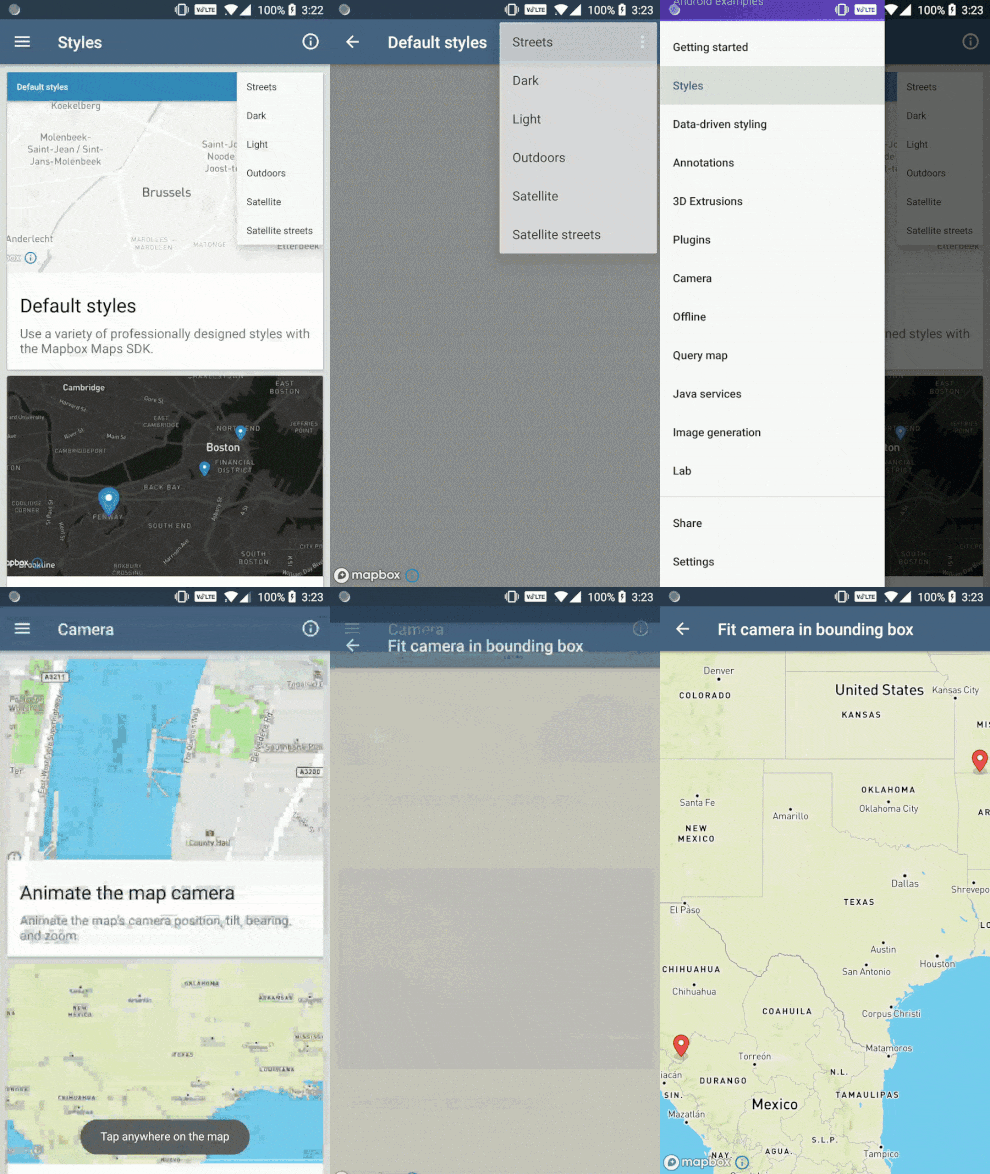
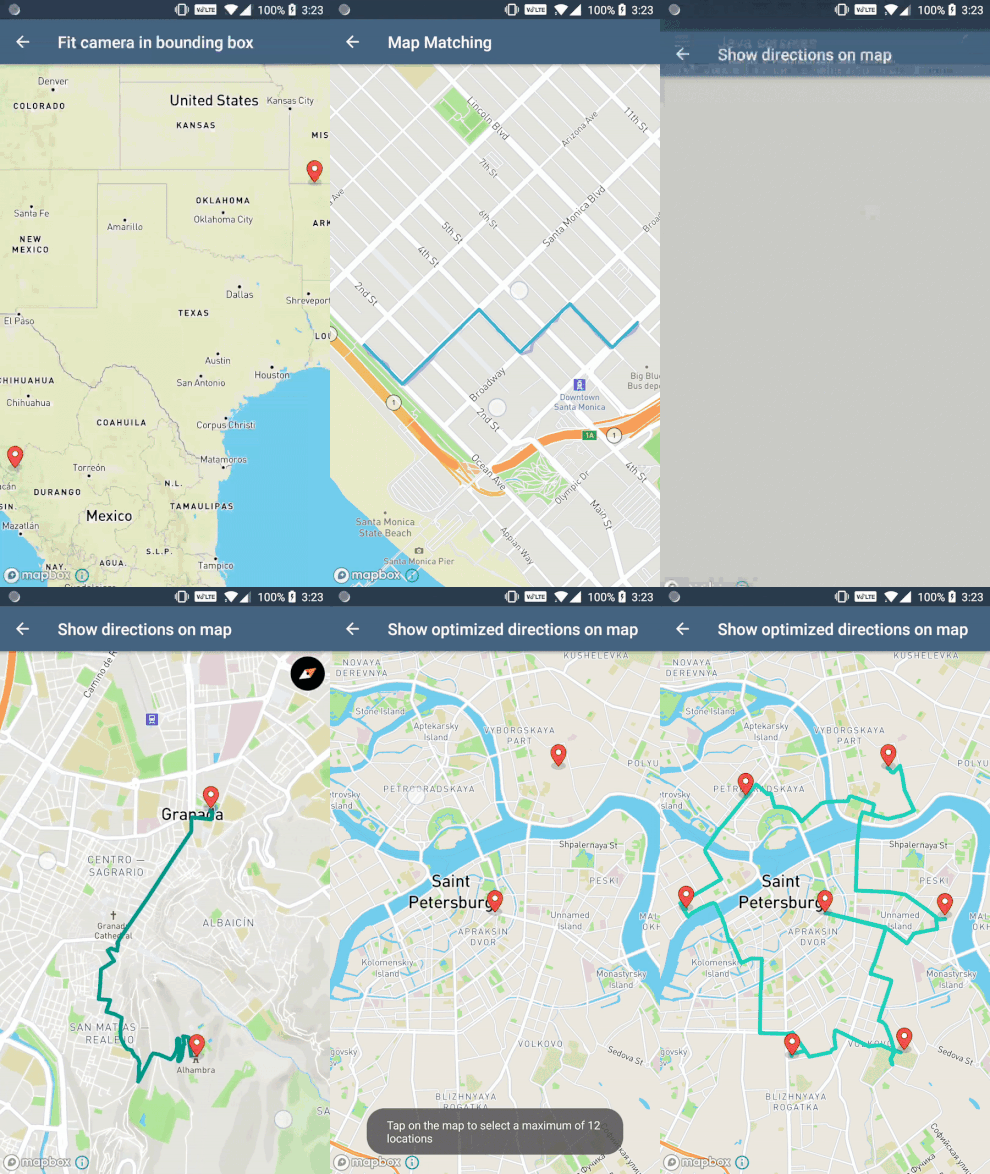
This is a public demo of the Mapbox Maps SDK for Android. The demo app is [available now in the Google Play Store](https://play.google.com/store/apps/details?id=com.mapbox.mapboxandroiddemo) and it shows off many of the examples found on:
- [https://docs.mapbox.com/android/maps/examples](https://docs.mapbox.com/android/maps/examples/)
- [https://docs.mapbox.com/android/java/examples](https://docs.mapbox.com/android/java/examples/)
- [https://docs.mapbox.com/android/plugins/examples](https://docs.mapbox.com/android/plugins/examples/)
There are also examples that only live in the app. The app's "labs" section has examples which often combine various Mapbox tools to create more complex examples.
Visit [the overview page](https://docs.mapbox.com/android/maps/overview/) to get started using the Mapbox Maps SDK for Android in your Android project.
### Steps to adding a new example
Feedback and contribution are encouraged in this repo. If you'd like to see a new example added into the app, either [open an issue](https://github.com/mapbox/mapbox-android-demo/issues) or create it yourself and open a pull request following these steps:
* Create a new java file and place in the acceptable folder (`examples` or `labs`) giving it a descriptive name and ending the title with `*Activity`. It's important that all activities extend `AppCompat`.
* If the activity needs a layout, add one with the naming convention `activity_*`.
* Add the activity to the `AndroidManifest.xml` file.
* Open the `MainActivity.java` file and scroll down to the `listItems` method. You'll notice a switch statement, pick one of the cases (categories) and add the new example so it matches the others.
* Code your example and test to make sure it works properly.
* Open a pull request with the new example.
**Note:** This repo uses checkstyle to make sure code contributed follows the Mapbox Style standards. When a pull request is opened, Bitrise will check that no style issues occur in the code. Read this [wiki entry](https://github.com/mapbox/mapbox-android-demo/wiki/Setting-up-Mapbox-checkstyle) to set up checkstyle in Android Studio.
### Running locally
##### Setting the Mapbox access token
_This demo app uses Mapbox vector tiles, which require a Mapbox account and a Mapbox access token. Obtain a free access token on the [Mapbox account page](https://www.mapbox.com/studio/account/tokens/)._
With the first Gradle invocation, Gradle will take the value of the `MAPBOX_ACCESS_TOKEN` environment variable and save it to `SharedCode/src/main/res/values/developer-config.xml`. If the environment variable wasn't set, you can create/edit the `developer-config.xml` file. Create an `access_token` String resource and paste your access token into it:
```xml
PASTE_YOUR_TOKEN_HERE
```
##### Product flavors
The app has a two product flavors; `global` and `china`. The `global` flavor has the full list of standard examples, whereas the `china` flavor has China-specific examples, which use [the Mapbox China Plugin for Android](https://docs.mapbox.com/android/plugins/overview/china/). The plugin requires a special China Mapbox access token. [Contact our sales team to start the process of receiving this special access token](https://www.mapbox.com/contact/sales/).
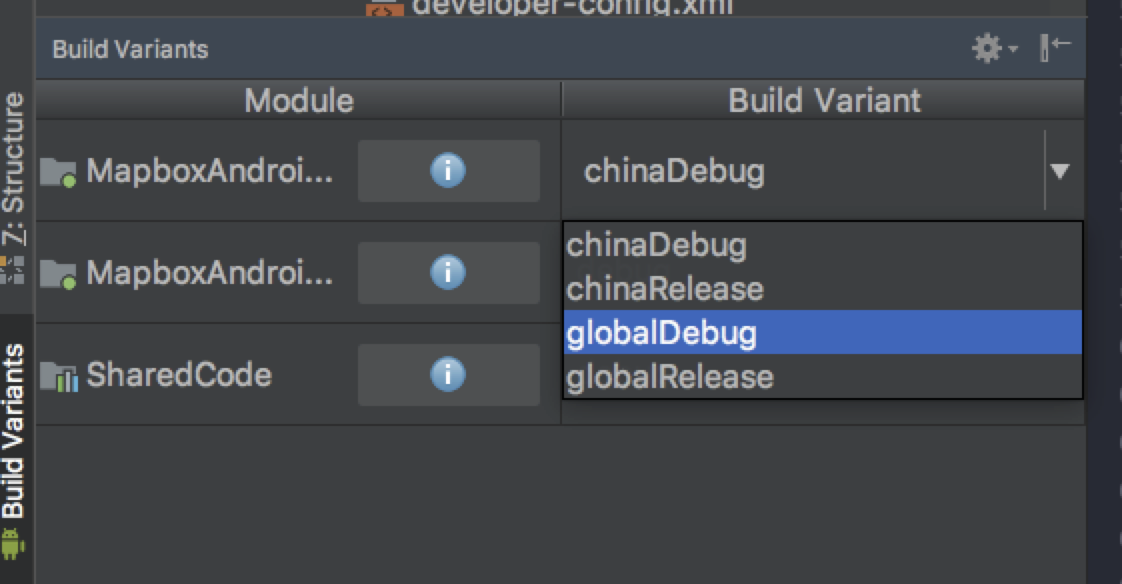
You might see China-related examples when you locally run the app on your device. This is because Android Studio is set on the `china` flavor. Find and click on the "Build Variants" tab in the lower left hand corner of the Android Studio window. Then choose `globalDebug` to change the flavor to the `global` flavor. Re-run the app on your device to see the "regular" demo app examples.
 If you're still having issues, [please open an issue ticket in this repo](https://github.com/mapbox/mapbox-android-demo/issues/new).
### Inside the app
If you're still having issues, [please open an issue ticket in this repo](https://github.com/mapbox/mapbox-android-demo/issues/new).
### Inside the app