# wechat-gptbot
**Repository Path**: dabiaozhang_admin/wechat-gptbot
## Basic Information
- **Project Name**: wechat-gptbot
- **Description**: No description available
- **Primary Language**: Python
- **License**: MIT
- **Default Branch**: main
- **Homepage**: None
- **GVP Project**: No
## Statistics
- **Stars**: 0
- **Forks**: 0
- **Created**: 2023-11-08
- **Last Updated**: 2023-11-08
## Categories & Tags
**Categories**: Uncategorized
**Tags**: None
## README
欢迎使用 wechat-gptbot 👋




> 基于 ChatGPT 的微信机器人,无风险且非常稳定! 🚀
> [English](README.md) | 中文文档
## 🎤 简介
> 我在使用基于 `itchat` 和 `wechaty` 的聊天机器人时,经常会遇到扫码登录账号被限制的风险。参考 [#158](https://github.com/AutumnWhj/ChatGPT-wechat-bot/issues/158). 有没有安全的方法来使用微信机器人呢? 在这里~
## 🌟 特性
- [x] **非常稳定:** 基于 windows hook 实现,不用担心微信账号被限制的风险
- [x] **基础对话:** 私聊及群聊的消息智能回复,支持多轮会话上下文记忆,支持 GPT-3,GPT-3.5,GPT-4, Claude-2, Claude Instant-1, Command Nightly, Palm models 和其他在 [litellm](https://litellm.readthedocs.io/en/latest/supported/) 中的模型
- [x] **图片生成:** 支持图片生成, 目前暂时只支持 Dell-E 模型
- [x] **灵活配置:** 支持 prompt 设置, proxy, 命令设置等.
- [x] **插件系统:** 支持个性化插件扩展,您可以轻松集成您想要的功能
## 📝 更新日志
> **2023.07.13:** 引入`插件系统`,让 gptbot 拥有更多可能性,且易于扩展 [#46](https://github.com/iuiaoin/wechat-gptbot/pull/46). 这是第一个好玩的插件: [tiktok](https://github.com/iuiaoin/plugin_tiktok), 赶快来尝试一下吧! 另请参阅此处的[文档](plugins/README.md)来了解用法和如何贡献~
## 🚀 快速开始
### 环境
支持 Windows 系统(以后可能会基于 [sandbox](https://github.com/huan/docker-wechat) 支持 Linux) 同时需要安装 `Python`
> 建议 Python 版本在 3.8.X~3.10.X 之间, 推荐 3.10 版本
#### 1. 克隆项目
```bash
git clone https://github.com/iuiaoin/wechat-gptbot && cd wechat-gptbot
```
#### 2. 安装依赖
```bash
pip install -r requirements.txt
```
### 配置
配置文件的模板在根目录的 `config.template.json` 中,需复制该模板创建最终生效的 `config.json` 文件
```bash
cp config.template.json config.json
```
在 `config.json` 中填入配置,以下是对默认配置的说明,可根据需要进行自定义修改:
```bash
{
"openai_api_key": "YOUR API SECRET KEY", # 填入你的 OpenAI API Key
"model": "gpt-3.5-turbo", # 要使用的模型 ID, 支持 gpt-3.5-turbo, gpt-4, gpt-4-32k 等
"use_azure_chatgpt": false, # 是否使用 Azure OpenAI API
"azure_deployment_id": "", # Azure 模型部署名称
"role_desc": "You are a helpful assistant.", # 角色描述, 作为系统 prompt
"session_expired_duration": 3600, # 对话记忆的保留时长
"max_tokens": 1000, # 对话记忆字符的最大 token 数量
"temperature": 0.9, # 在 0 到 2 之间. 更高的数值会使 chatGPT 的输出更加随机, 而较低的数值会使其更加稳定
"proxy": "127.0.0.1:3000", # 代理客户端的ip和端口
"openai_api_base": "", # openai 服务使用的 api url
"create_image_size": "256x256", # Dall-E 图片大小, 支持 256x256, 512x512, 1024x1024
"create_image_prefix": ["draw", "paint", "imagine"], # 开启图片回复的前缀
"clear_current_session_command": "#clear session", # 清楚当前对话记忆
"clear_all_sessions_command": "#clear all sessions", # 清楚所有对话记忆
"chat_group_session_independent": false, # 群聊中的用户会话上下文是否是各自独立的
"single_chat_prefix": ["bot", "@bot"], # 在私聊中以“bot”或“@bot”开始对话以触发机器人,如果你想让bot一直处于激活状态,请将其留空
"group_chat_reply_prefix": "", # 群聊中的回复前缀, 可用来区分机器人/真人
"group_chat_reply_suffix": "", # 群聊中的回复后缀, \n 可换行
"single_chat_reply_prefix": "", # 私聊中的回复前缀, 可用来区分机器人/真人
"single_chat_reply_suffix": "", # 私聊中的回复后缀, \n 可换行
"query_key_command": "#query key", # 查询 api key 使用情况
"recent_days": 5 # 查询最近的天
"plugins": [{ "name": , other configs }]# 添加你喜爱的插件
"openai_sensitive_id": "" # 查询api key时使用
}
```
openai_sensitive_id获取:登录https://platform.openai.com/overview页面,按F12找到如下值,维护到配置中

### 运行
#### 1. 准备
> 我们需要特定的微信版本和 dll 来使 windows hook 正常生效。
1. 从 [release](https://github.com/iuiaoin/wechat-gptbot/releases/tag/v1.0.0) 中下载相关文件
2. 安装 WeChatSetup 3.2.1.121 版本并且登录
3. 运行微信 dll 注入器
4. 选择 3.2.1.121-LTS.dll 并且 点击 `注入dll`, 如果成功的话你将会看到: "成功注入: 3.2.1.121-LTS.dll"
#### 2. 运行命令
```bash
python app.py
```
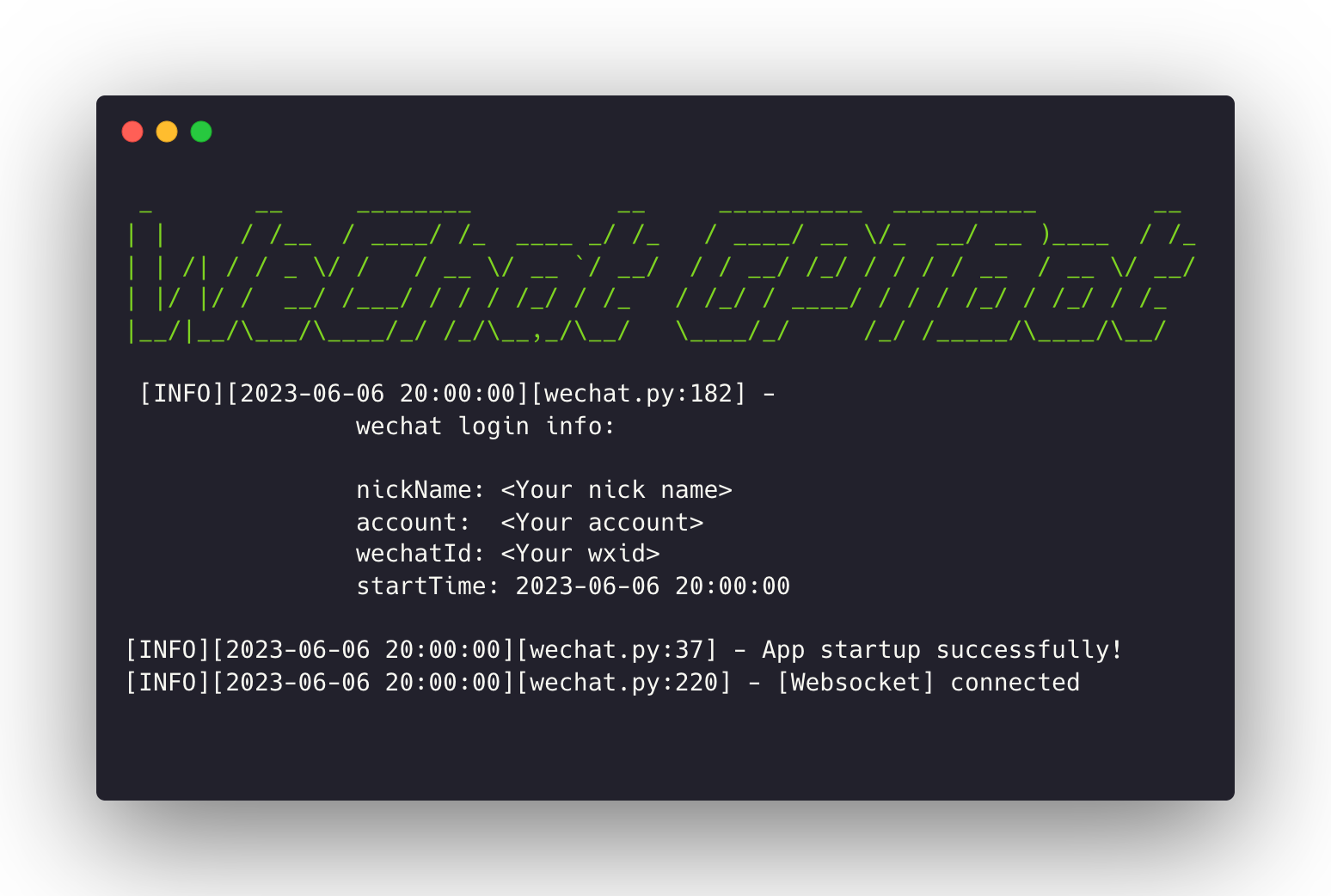 噹噹! 享受你的探索之旅吧~
## ✨ 慷慨支持者
> 非常感谢您的支持, 这将是我最大的动力!
噹噹! 享受你的探索之旅吧~
## ✨ 慷慨支持者
> 非常感谢您的支持, 这将是我最大的动力!
 ## 🤝 为项目添砖加瓦
欢迎提出 Contributions, issues 与 feature requests!
## 🤝 为项目添砖加瓦
欢迎提出 Contributions, issues 与 feature requests!
随时查看 [issues page](https://github.com/iuiaoin/wechat-gptbot/issues).
## 🙏 感谢支持
如果你喜欢这个项目的话,请为它点上一颗 ⭐️
## 📢 声明
WeChatSetup 安装包来自于 [wechat-windows-versions](https://github.com/tom-snow/wechat-windows-versions/releases), 微信 dll 注入器来自于 [wechat-bot](https://github.com/cixingguangming55555/wechat-bot), 所以你可以放心使用它。还要感谢两个 repo 的所有者的贡献。
## 💖 赞助
> 在 **[爱发电](https://afdian.net/a/declan)** 上成为赞助者. 你的名字将会被特别列在慷慨支持者下~