# Serene Player
**Repository Path**: Domdkw/serene-player
## Basic Information
- **Project Name**: Serene Player
- **Description**: 基于 React 和 TypeScript 构建的现代化优雅音乐播放器。由Gemini 3 Flash+TRAE+Hand 开发
- **Primary Language**: TypeScript
- **License**: MIT
- **Default Branch**: main
- **Homepage**: https://dmSerene-Player.netlify.app
- **GVP Project**: No
## Statistics
- **Stars**: 0
- **Forks**: 0
- **Created**: 2026-01-01
- **Last Updated**: 2026-06-13
## Categories & Tags
**Categories**: Uncategorized
**Tags**: None
## README
# Serene Player - 宁静播放器
一个基于 React 和 TypeScript 构建的现代化、优雅的音乐播放器
[](https://choosealicense.com/licenses/mit/)
[](https://vitejs.dev/)
[](https://react.dev/)
[](https://www.typescriptlang.org/)
[](https://tailwindcss.com/)

点击查看截图
| 移动端竖屏 | 桌面端横屏 1 | 桌面端横屏 2 |
|:----------:|:------------:|:------------:|
|
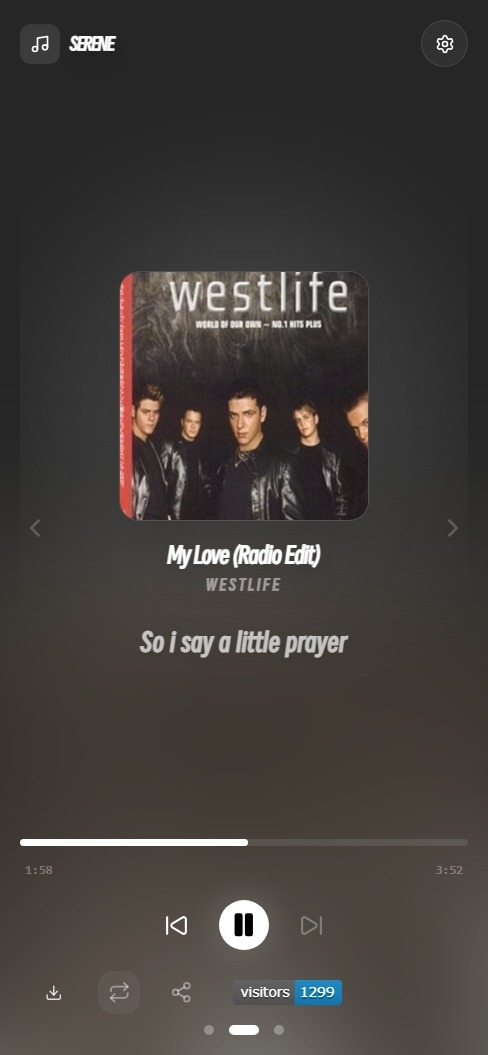
|
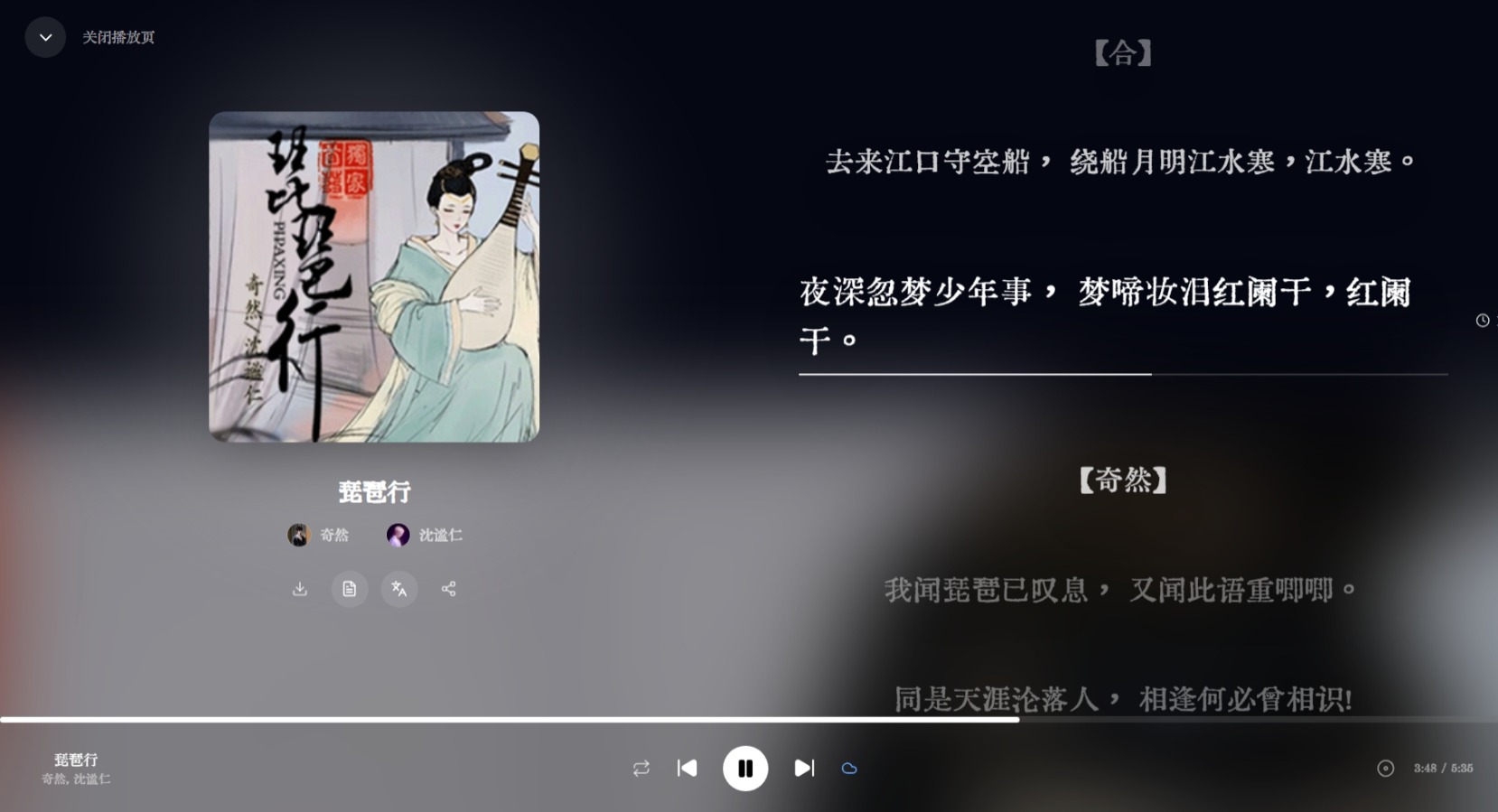
|
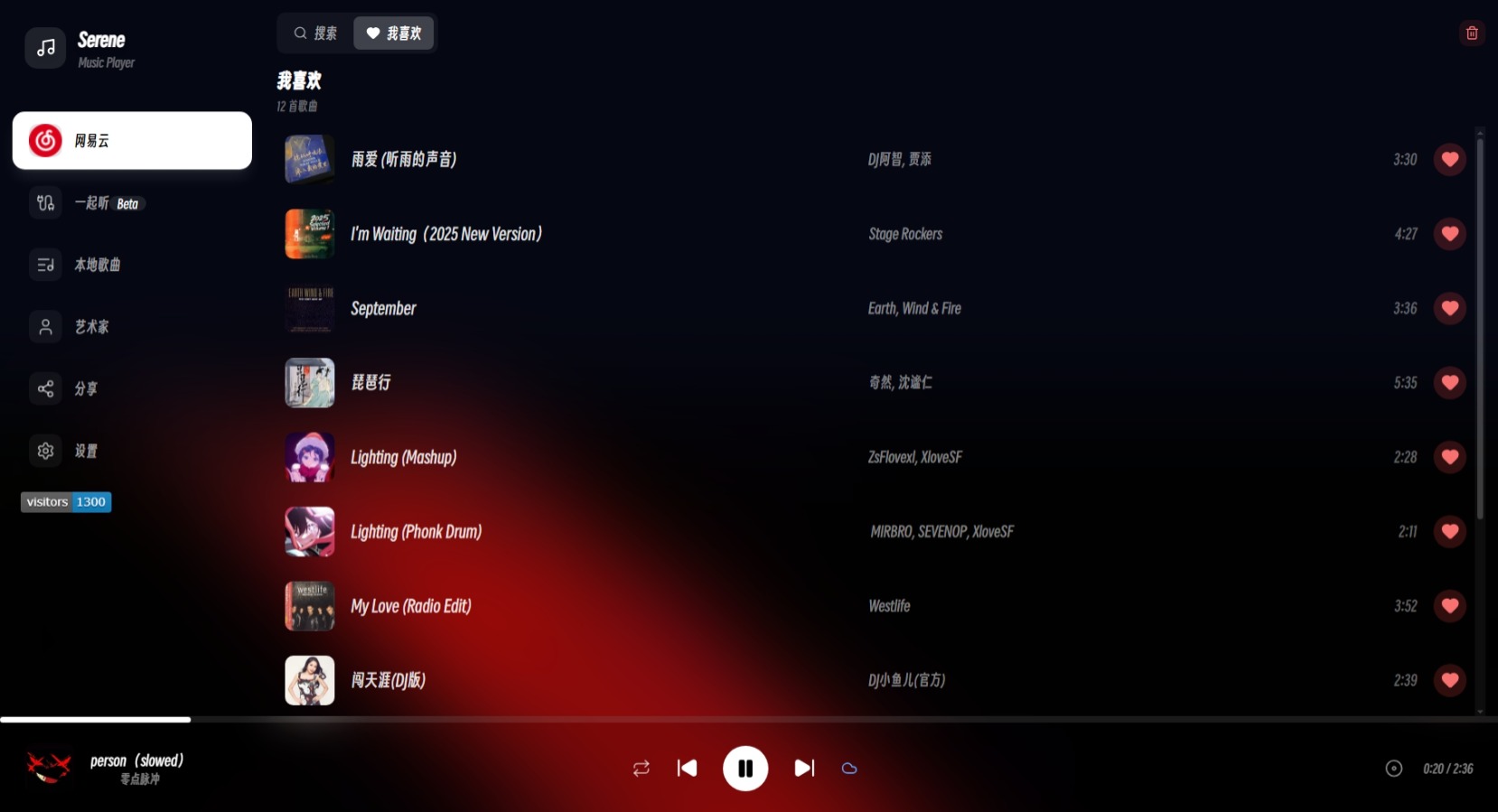
|
基于 React 和 TypeScript 构建的现代化优雅音乐播放器。由 Gemini 3 Flash + TRAE + Hand 开发
#### 体验预览版:[DEV](https://github.com/Domdkw/Serene-Player/tree/dev)
## 功能特性
- 当前播放曲目下载功能
- 歌词翻译显示(可开关)
- 歌词自动滚动和高亮显示
- 网易云歌曲自动获取歌词和翻译
- 移动端适配,支持手势切换页面
- 本地音乐搜索功能,支持按歌曲名和艺术家搜索
- 艺术家分类视图
- 收藏功能
- 歌单分享功能
- P2P 一起听功能(基于 PeerJS)
## 开始
### 本地运行
**前置要求:** Node.js 18+
1. 安装依赖:
```bash
npm install
```
2. 启动应用:
```bash
npm run dev
```
3. 在浏览器中访问 `http://localhost:3000`
## 构建部署
```bash
npm run build
```
构建后的文件将生成在 `dist/` 目录中。
## 说明
### 添加音乐
支持三种方式添加音乐:
| 方式 | 说明 | 持久性 |
|:----:|:----:|:------:|
| 手动上传 | 直接上传本地音乐文件 | 临时 |
| 自定义源 | 配置音乐源 URL | 持久 |
| Fork 仓库 | 添加到 `public/music/` 目录 | 持久 |
详细步骤
**方式一:手动上传**
- 在应用中直接上传音乐文件
**方式二:自定义音乐源**
- 参考 [queryParams 文档](./src/hooks/QueryParams.md) 配置
**方式三:Fork 仓库**
1. [Fork 本仓库](https://github.com/Domdkw/Serene-Player/fork)
2. 将音乐文件添加到 `public/music/` 目录
3. 更新 `public/discList.json` 配置播放列表
### 网易云音乐功能
从2.12.3开始使用Netlify部署,[Hono](https://hono.dev/) 作为 API 服务端。
使用第三方API
使用第三方API[apis.netstart.cn](https://apis.netstart.cn/music/)和网易官方外链播放音乐
#### 歌词显示
- 网易云歌曲会自动获取歌词,翻译
- 歌词支持自动滚动和高亮显示
- 可在设置中开启或关闭歌词翻译
### 本地音乐搜索
1. 点击搜索按钮打开搜索面板
2. 输入歌曲名称或艺术家名称
3. 系统实时显示匹配结果
4. 点击结果直接跳转播放
### CLI 工具
镜像源生成工具
```bash
python cli/mirrorMaker/main.py
```
主题色提取工具
```bash
cd cli/theme-color-extraction
pip install -r requirements.txt
python main.py
```
## 项目结构
```
Serene-Player/
├── public/ # 静态资源
│ ├── music/ # 音乐文件目录
│ └── discList.json # 播放列表配置
├── src/
│ ├── apis/ # API 接口
│ │ └── netease.ts # 网易云音乐 API
│ ├── app/ # 应用入口
│ │ ├── App.tsx # 桌面端应用
│ │ └── MobileApp.tsx # 移动端应用
│ ├── components/ # 组件
│ │ ├── common/ # 通用组件
│ │ ├── layout/ # 布局组件
│ │ ├── library/ # 音乐库组件
│ │ ├── panels/ # 面板组件
│ │ └── player/ # 播放器组件
│ ├── contexts/ # React Context
│ ├── hooks/ # 自定义 Hooks
│ ├── types/ # TypeScript 类型定义
│ └── utils/ # 工具函数
├── cli/ # 命令行工具
│ ├── mirrorMaker/ # 镜像生成工具
│ └── theme-color-extraction/ # 主题色提取工具
├── index.tsx # 应用入口
├── vite.config.ts # Vite 配置
└── tsconfig.json # TypeScript 配置
```
## 技术栈
[React 19](https://react.dev/) - UI 框架
[TypeScript](https://www.typescriptlang.org/) - 类型安全
[Vite](https://vitejs.dev/) - 构建工具
[TailwindCSS v4](https://tailwindcss.com/) - 样式框架
[Framer Motion](https://www.framer.com/motion/) - 动画库
[Lucide React](https://lucide.dev/) - 图标库
## 开发计划
- [ ] 移动端显示作曲家信息
- [x] 支持网易云音乐播放
- [x] 歌单分享功能
- [ ] 深色/浅色主题切换
- [ ] 支持更多音乐平台 (Working)
- [x] 历史记录
- [ ] 添加更多发现插件
- [x] 播放列表导出/导入
## 贡献指南
欢迎提交 Issue 和 Pull Request!
1. [Fork 本仓库](https://github.com/Domdkw/Serene-Player/fork)
2. 创建特性分支 (`git checkout -b feature/AmazingFeature`)
3. 提交更改 (`git commit -m 'Add some AmazingFeature'`)
4. 推送到分支 (`git push origin feature/AmazingFeature`)
5. 提交 Pull Request
## 许可证
本项目基于 MIT 许可证开源 - 查看 [LICENSE](LICENSE) 文件了解详情
### 灵感来源
- [Vue-mmPlayer](https://github.com/maomao1996/Vue-mmPlayer) - 网易云音乐播放器
---
**如果这个项目对你有帮助,请给一个 ⭐️ Star 支持一下!**
Powered by: Domdkw